
# Uptime Kuma
Uptime Kuma is an easy-to-use self-hosted monitoring tool.




 [](https://github.com/sponsors/louislam)
[](https://github.com/sponsors/louislam)

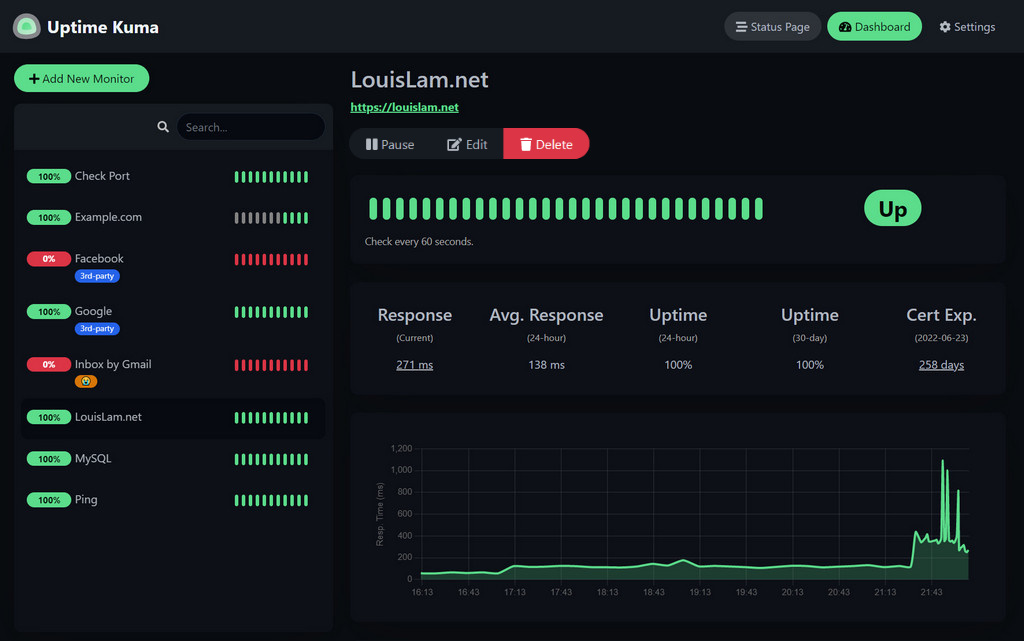 ## 🥔 Live Demo
Try it!
Demo Server (Location: Frankfurt - Germany):
It is a temporary live demo, all data will be deleted after 10 minutes. Sponsored by [Uptime Kuma Sponsors](https://github.com/louislam/uptime-kuma#%EF%B8%8F-sponsors).
## ⭐ Features
- Monitoring uptime for HTTP(s) / TCP / HTTP(s) Keyword / HTTP(s) Json Query / Websocket / Ping / DNS Record / Push / Steam Game Server / Docker Containers
- Fancy, Reactive, Fast UI/UX
- Notifications via Telegram, Discord, Gotify, Slack, Pushover, Email (SMTP), and [90+ notification services, click here for the full list](https://github.com/louislam/uptime-kuma/tree/master/src/components/notifications)
- 20-second intervals
- [Multi Languages](https://github.com/louislam/uptime-kuma/tree/master/src/lang)
- Multiple status pages
- Map status pages to specific domains
- Ping chart
- Certificate info
- Proxy support
- 2FA support
## 🔧 How to Install
### 🐳 Docker Compose
```bash
mkdir uptime-kuma
cd uptime-kuma
curl -o compose.yaml https://raw.githubusercontent.com/louislam/uptime-kuma/master/compose.yaml
docker compose up -d
```
Uptime Kuma is now running on all network interfaces (e.g. http://localhost:3001 or http://your-ip:3001).
> [!WARNING]
> File Systems like **NFS** (Network File System) are **NOT** supported. Please map to a local directory or volume.
### 🐳 Docker Command
```bash
docker run -d --restart=always -p 3001:3001 -v uptime-kuma:/app/data --name uptime-kuma louislam/uptime-kuma:2
```
Uptime Kuma is now running on all network interfaces (e.g. http://localhost:3001 or http://your-ip:3001).
If you want to limit exposure to localhost only:
```bash
docker run ... -p 127.0.0.1:3001:3001 ...
```
### 💪🏻 Non-Docker
Requirements:
- Platform
- ✅ Major Linux distros such as Debian, Ubuntu, Fedora and ArchLinux etc.
- ✅ Windows 10 (x64), Windows Server 2012 R2 (x64) or higher
- ❌ FreeBSD / OpenBSD / NetBSD
- ❌ Replit / Heroku
- [Node.js](https://nodejs.org/en/download/) >= 20.4
- [Git](https://git-scm.com/downloads)
- [pm2](https://pm2.keymetrics.io/) - For running Uptime Kuma in the background
```bash
git clone https://github.com/louislam/uptime-kuma.git
cd uptime-kuma
npm run setup
# Option 1. Try it
node server/server.js
# (Recommended) Option 2. Run in the background using PM2
# Install PM2 if you don't have it:
npm install pm2 -g && pm2 install pm2-logrotate
# Start Server
pm2 start server/server.js --name uptime-kuma
```
Uptime Kuma is now running on all network interfaces (e.g. http://localhost:3001 or http://your-ip:3001).
More useful PM2 Commands
```bash
# If you want to see the current console output
pm2 monit
# If you want to add it to startup
pm2 startup && pm2 save
```
### Advanced Installation
If you need more options or need to browse via a reverse proxy, please read:
## 🆙 How to Update
Please read:
## 🆕 What's Next?
I will assign requests/issues to the next milestone.
## ❤️ Sponsors
Thank you so much for supporting this project!
### Special Sponsors
[
## 🥔 Live Demo
Try it!
Demo Server (Location: Frankfurt - Germany):
It is a temporary live demo, all data will be deleted after 10 minutes. Sponsored by [Uptime Kuma Sponsors](https://github.com/louislam/uptime-kuma#%EF%B8%8F-sponsors).
## ⭐ Features
- Monitoring uptime for HTTP(s) / TCP / HTTP(s) Keyword / HTTP(s) Json Query / Websocket / Ping / DNS Record / Push / Steam Game Server / Docker Containers
- Fancy, Reactive, Fast UI/UX
- Notifications via Telegram, Discord, Gotify, Slack, Pushover, Email (SMTP), and [90+ notification services, click here for the full list](https://github.com/louislam/uptime-kuma/tree/master/src/components/notifications)
- 20-second intervals
- [Multi Languages](https://github.com/louislam/uptime-kuma/tree/master/src/lang)
- Multiple status pages
- Map status pages to specific domains
- Ping chart
- Certificate info
- Proxy support
- 2FA support
## 🔧 How to Install
### 🐳 Docker Compose
```bash
mkdir uptime-kuma
cd uptime-kuma
curl -o compose.yaml https://raw.githubusercontent.com/louislam/uptime-kuma/master/compose.yaml
docker compose up -d
```
Uptime Kuma is now running on all network interfaces (e.g. http://localhost:3001 or http://your-ip:3001).
> [!WARNING]
> File Systems like **NFS** (Network File System) are **NOT** supported. Please map to a local directory or volume.
### 🐳 Docker Command
```bash
docker run -d --restart=always -p 3001:3001 -v uptime-kuma:/app/data --name uptime-kuma louislam/uptime-kuma:2
```
Uptime Kuma is now running on all network interfaces (e.g. http://localhost:3001 or http://your-ip:3001).
If you want to limit exposure to localhost only:
```bash
docker run ... -p 127.0.0.1:3001:3001 ...
```
### 💪🏻 Non-Docker
Requirements:
- Platform
- ✅ Major Linux distros such as Debian, Ubuntu, Fedora and ArchLinux etc.
- ✅ Windows 10 (x64), Windows Server 2012 R2 (x64) or higher
- ❌ FreeBSD / OpenBSD / NetBSD
- ❌ Replit / Heroku
- [Node.js](https://nodejs.org/en/download/) >= 20.4
- [Git](https://git-scm.com/downloads)
- [pm2](https://pm2.keymetrics.io/) - For running Uptime Kuma in the background
```bash
git clone https://github.com/louislam/uptime-kuma.git
cd uptime-kuma
npm run setup
# Option 1. Try it
node server/server.js
# (Recommended) Option 2. Run in the background using PM2
# Install PM2 if you don't have it:
npm install pm2 -g && pm2 install pm2-logrotate
# Start Server
pm2 start server/server.js --name uptime-kuma
```
Uptime Kuma is now running on all network interfaces (e.g. http://localhost:3001 or http://your-ip:3001).
More useful PM2 Commands
```bash
# If you want to see the current console output
pm2 monit
# If you want to add it to startup
pm2 startup && pm2 save
```
### Advanced Installation
If you need more options or need to browse via a reverse proxy, please read:
## 🆙 How to Update
Please read:
## 🆕 What's Next?
I will assign requests/issues to the next milestone.
## ❤️ Sponsors
Thank you so much for supporting this project!
### Special Sponsors
[ ](https://www.atlascloud.ai)
Atlas Cloud (https://www.atlascloud.ai) is sponsoring this project USD 400 per month for using their AI models.
[](https://www.atlascloud.ai/?ref=UZCYBN)
### Open Collective and GitHub Sponsors
(The list will be cached by GitHub, it may take up 24 hours to be updated)
](https://www.atlascloud.ai)
Atlas Cloud (https://www.atlascloud.ai) is sponsoring this project USD 400 per month for using their AI models.
[](https://www.atlascloud.ai/?ref=UZCYBN)
### Open Collective and GitHub Sponsors
(The list will be cached by GitHub, it may take up 24 hours to be updated)
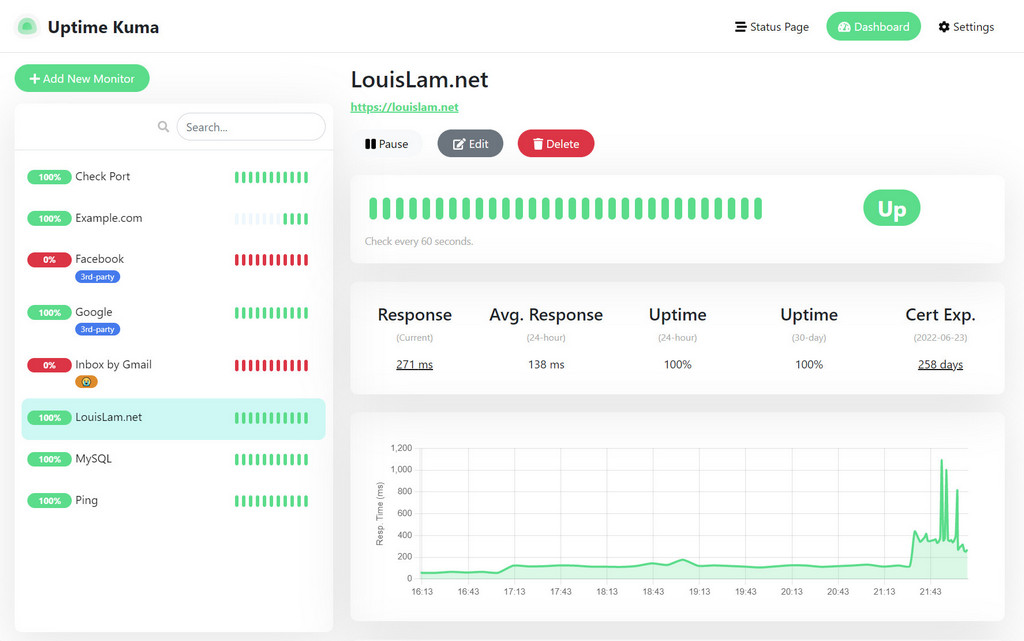
 ## 🖼 More Screenshots
Light Mode:
## 🖼 More Screenshots
Light Mode:
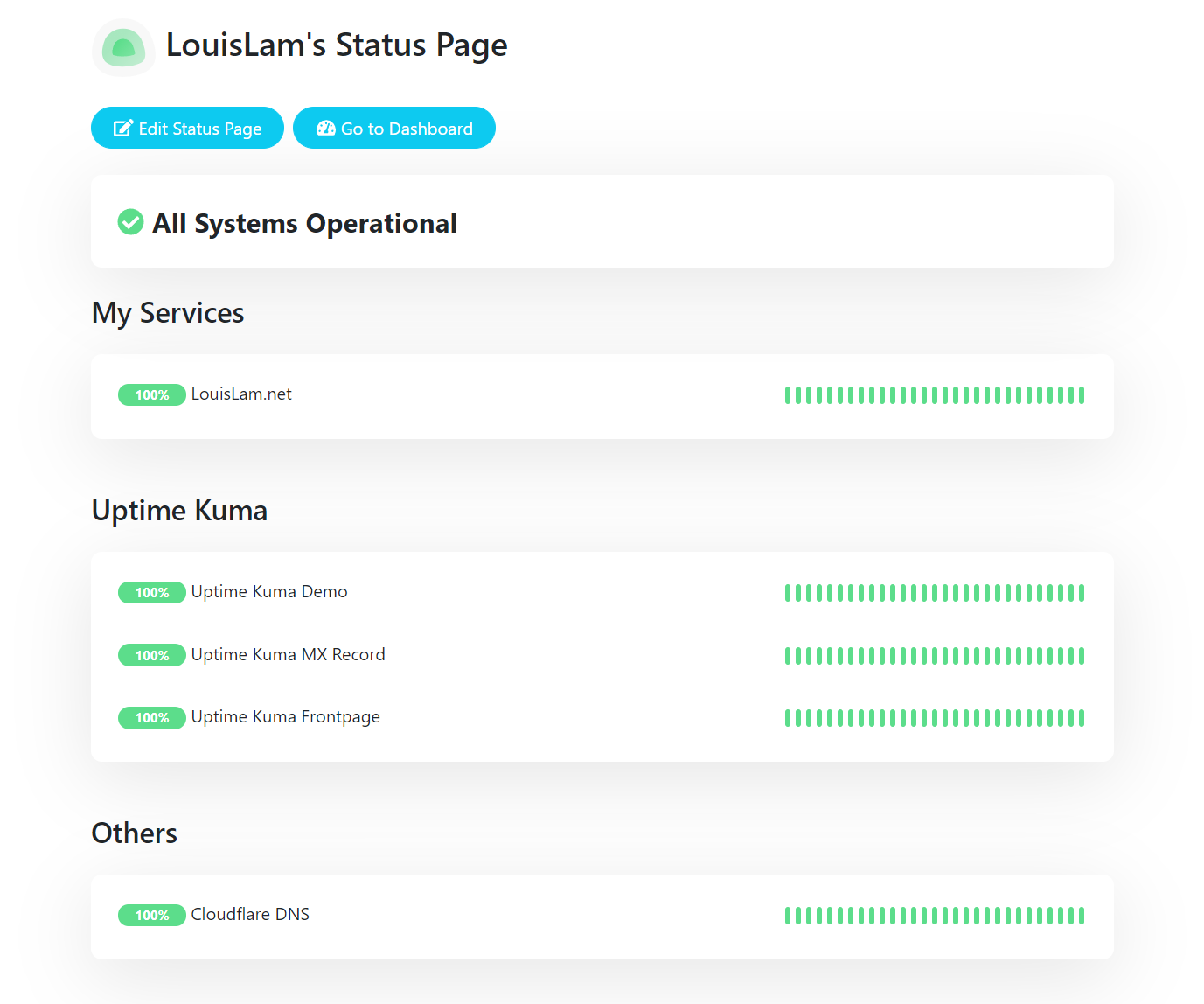
 Status Page:
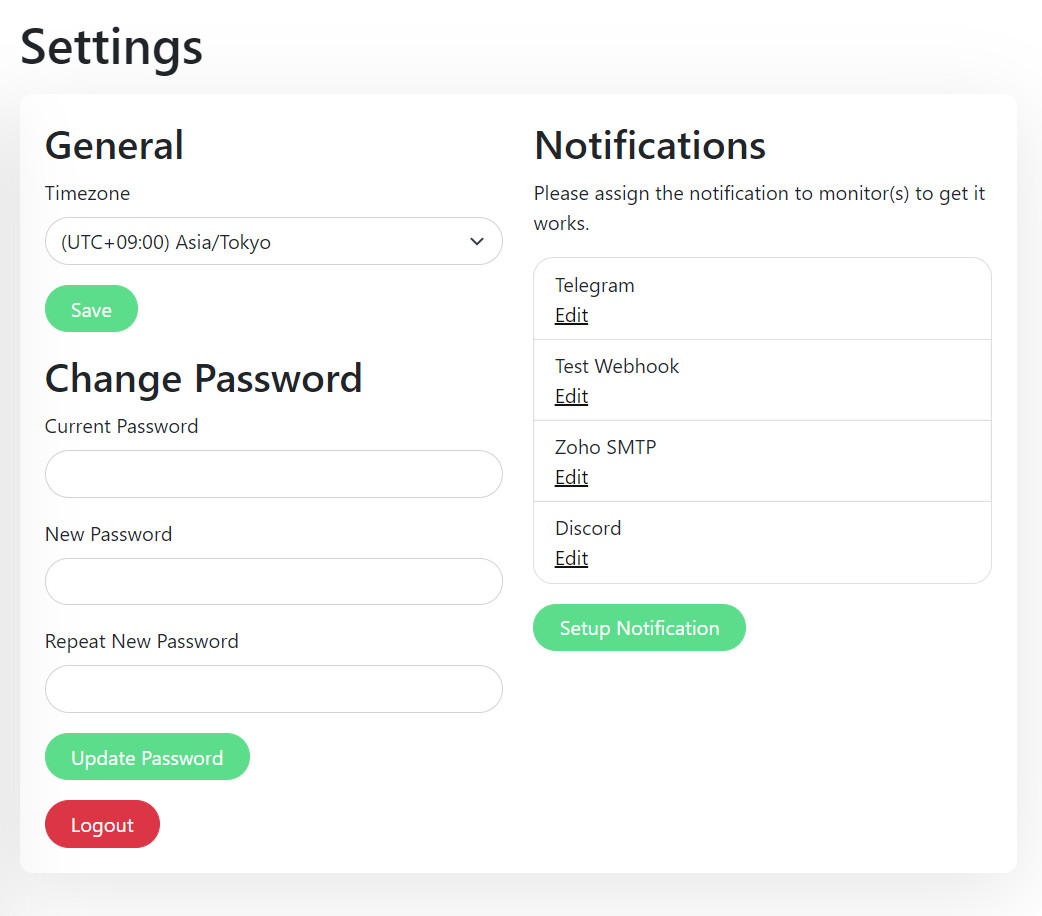
 Settings Page:
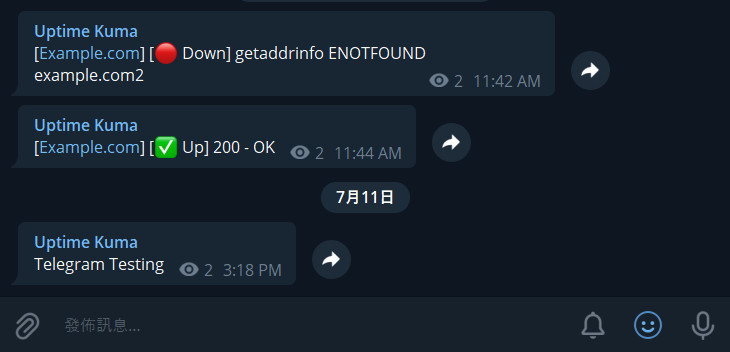
 Telegram Notification Sample:
 ## Motivation
- I was looking for a self-hosted monitoring tool like "Uptime Robot", but it is hard to find a suitable one. One of the closest ones is statping. Unfortunately, it is not stable and no longer maintained.
- Wanted to build a fancy UI.
- Learn Vue 3 and vite.js.
- Show the power of Bootstrap 5.
- Try to use WebSocket with SPA instead of a REST API.
- Deploy my first Docker image to Docker Hub.
If you love this project, please consider giving it a ⭐.
## 🗣️ Discussion / Ask for Help
⚠️ For any general or technical questions, please don't send me an email, as I am unable to provide support in that manner. I will not respond if you ask questions there.
I recommend using Google, GitHub Issues, or Uptime Kuma's subreddit for finding answers to your question. If you cannot find the information you need, feel free to ask:
- [GitHub Issues](https://github.com/louislam/uptime-kuma/issues)
- [Subreddit (r/UptimeKuma)](https://www.reddit.com/r/UptimeKuma/)
My Reddit account: [u/louislamlam](https://reddit.com/u/louislamlam)
You can mention me if you ask a question on the subreddit.
## Contributions
### Create Pull Requests
Pull requests are awesome.
To keep reviews fast and effective, please make sure you’ve [read our pull request guidelines](https://github.com/louislam/uptime-kuma/blob/master/CONTRIBUTING.md#can-i-create-a-pull-request-for-uptime-kuma).
### Test Pull Requests
There are a lot of pull requests right now, but I don't have time to test them all.
If you want to help, you can check this:
### Test Beta Version
Check out the latest beta release here:
### Bug Reports / Feature Requests
If you want to report a bug or request a new feature, feel free to open a [new issue](https://github.com/louislam/uptime-kuma/issues).
### Translations
If you want to translate Uptime Kuma into your language, please visit [Weblate Readme](https://github.com/louislam/uptime-kuma/blob/master/src/lang/README.md).
### Spelling & Grammar
Feel free to correct the grammar in the documentation or code.
My mother language is not English and my grammar is not that great.
## Motivation
- I was looking for a self-hosted monitoring tool like "Uptime Robot", but it is hard to find a suitable one. One of the closest ones is statping. Unfortunately, it is not stable and no longer maintained.
- Wanted to build a fancy UI.
- Learn Vue 3 and vite.js.
- Show the power of Bootstrap 5.
- Try to use WebSocket with SPA instead of a REST API.
- Deploy my first Docker image to Docker Hub.
If you love this project, please consider giving it a ⭐.
## 🗣️ Discussion / Ask for Help
⚠️ For any general or technical questions, please don't send me an email, as I am unable to provide support in that manner. I will not respond if you ask questions there.
I recommend using Google, GitHub Issues, or Uptime Kuma's subreddit for finding answers to your question. If you cannot find the information you need, feel free to ask:
- [GitHub Issues](https://github.com/louislam/uptime-kuma/issues)
- [Subreddit (r/UptimeKuma)](https://www.reddit.com/r/UptimeKuma/)
My Reddit account: [u/louislamlam](https://reddit.com/u/louislamlam)
You can mention me if you ask a question on the subreddit.
## Contributions
### Create Pull Requests
Pull requests are awesome.
To keep reviews fast and effective, please make sure you’ve [read our pull request guidelines](https://github.com/louislam/uptime-kuma/blob/master/CONTRIBUTING.md#can-i-create-a-pull-request-for-uptime-kuma).
### Test Pull Requests
There are a lot of pull requests right now, but I don't have time to test them all.
If you want to help, you can check this:
### Test Beta Version
Check out the latest beta release here:
### Bug Reports / Feature Requests
If you want to report a bug or request a new feature, feel free to open a [new issue](https://github.com/louislam/uptime-kuma/issues).
### Translations
If you want to translate Uptime Kuma into your language, please visit [Weblate Readme](https://github.com/louislam/uptime-kuma/blob/master/src/lang/README.md).
### Spelling & Grammar
Feel free to correct the grammar in the documentation or code.
My mother language is not English and my grammar is not that great.