
What it does
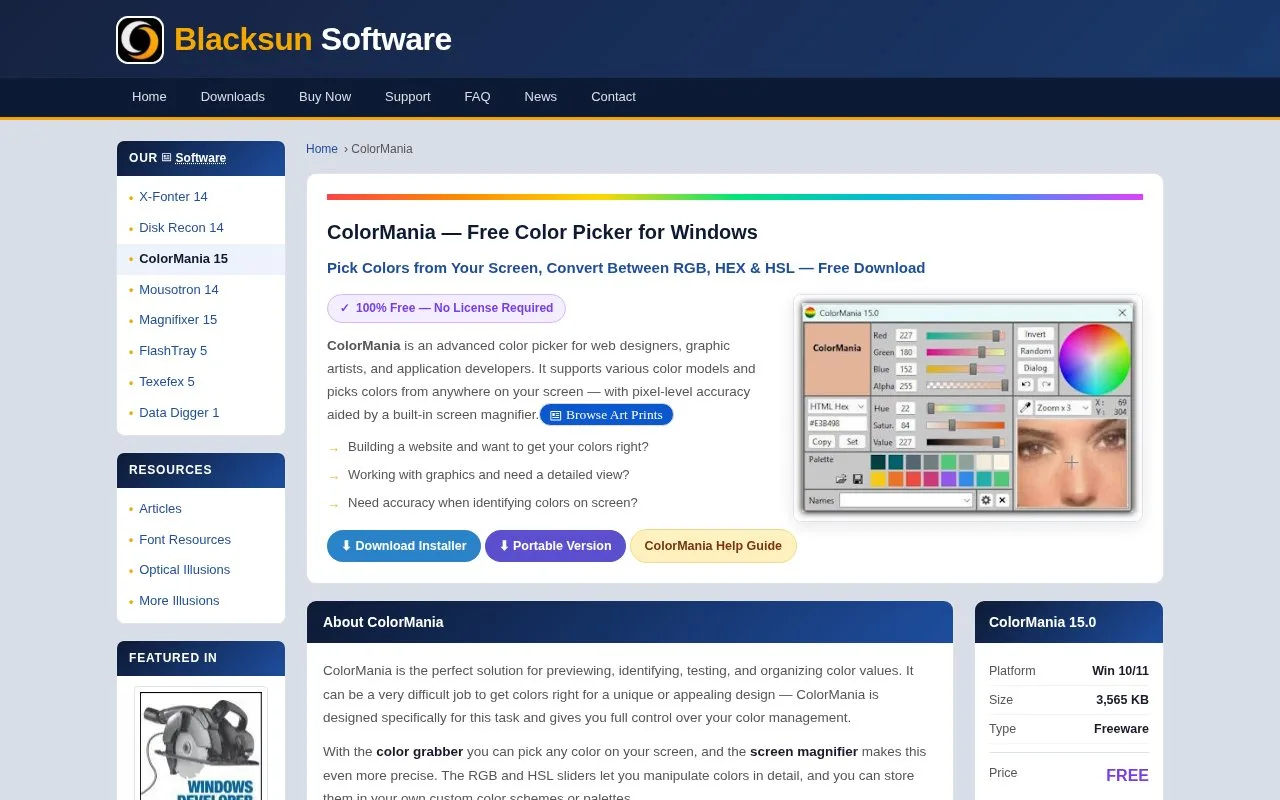
ColorMania is a free Windows colour picker with a screen magnifier, RGB and HSV controls and saved palettes. It displays HTML, CSS and other application colour formats, with installer and portable downloads.
Sample a reference from the screen, inspect the pixel at up to 20 times magnification, then change its RGB or HSV values with sliders or numeric fields. The colour wheel and rectangular colour spaces provide another way to select a related shade.
Right-click a palette slot and choose Save Color here to keep the active colour. A palette holds 16 colours and saves as a PLT file; larger projects need several palette files. A mark beside the palette name identifies unsaved changes.
Click a stored swatch to make it active, or use Copy Color Description to copy its value without switching the current colour. The current Windows builds support Windows 10 and 11.
Strengths
- Sampling and numeric adjustment share the same workspace.
- Palette slots can copy a value without changing the active colour.
Watch out for
- Each palette file holds 16 colours.
- The application is for Windows.
Best for
- Windows users collecting and adjusting colour references
Sources
- ColorMania product and downloads (Oct 27, 2026)
- How to use ColorMania (Oct 27, 2026)
- ColorMania palette controls (Oct 27, 2026)