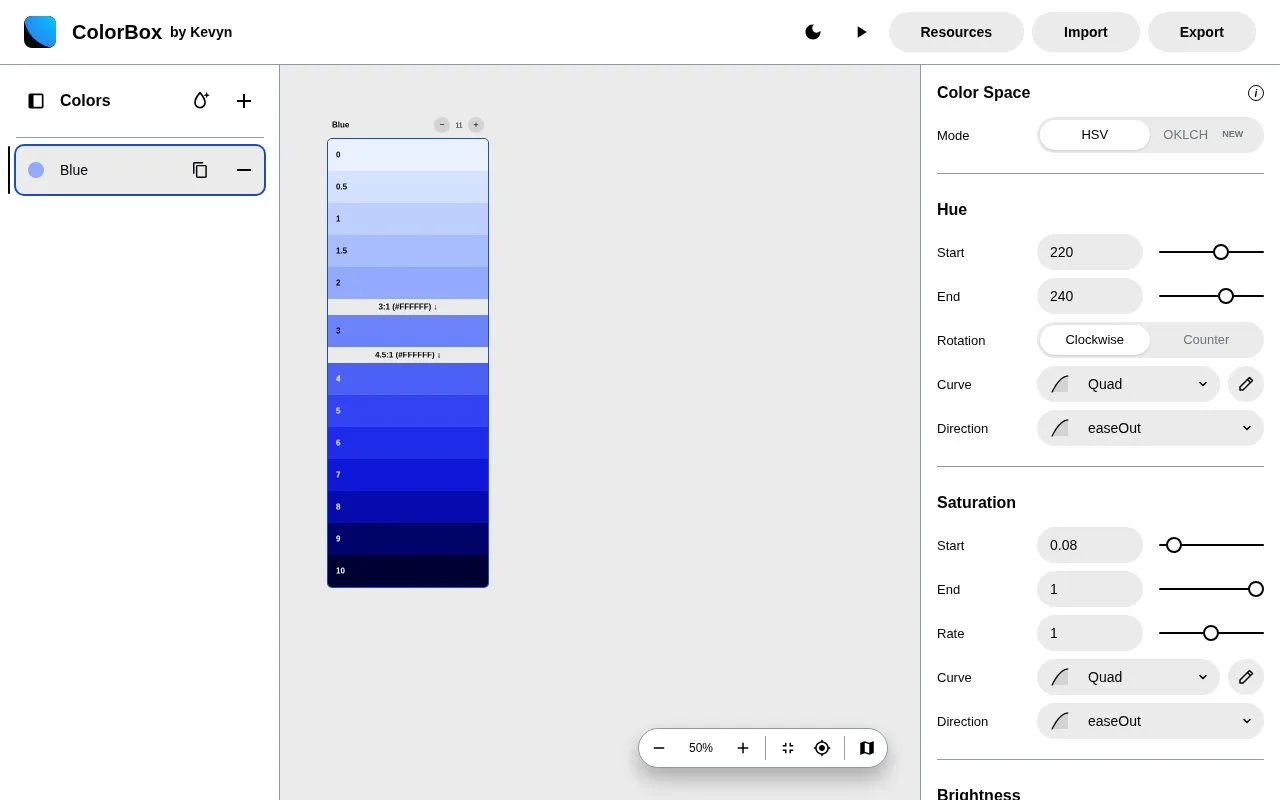
What it does
ColorBox builds colour ranges by controlling how hue, saturation and brightness change across steps. Its current editor offers HSV and OKLCH modes, major and minor steps, locked colours and dark-mode controls.
Name a range and choose its step count. Set start and end values, then select curves to control how quickly hue, saturation and brightness change. Hue rotation can run clockwise or counter-clockwise, avoiding an unwanted trip through the full colour wheel.
The Export panel separates the editable configuration from generated output. It offers Tailwind, CSS, OKLCH and Swift formats, while Copy URL preserves a shareable setup. The creator’s Figma workflow imports the exported JSON through a plugin and creates named paint styles.
Kevyn Arnott commits to keeping ColorBox free and distinguishes the web app from its separately published colour algorithm. An open licence for the algorithm should not be assumed to cover the complete website.
Strengths
- Locked colours can anchor selected points within a generated range.
Watch out for
- The algorithm and complete web application have different publication terms.
Best for
- Designers who want explicit control over a colour scale’s progression
Sources
- ColorBox (Oct 27, 2026)
- Introducing the new ColorBox, by Kevyn Arnott (Oct 27, 2026)