
What it does
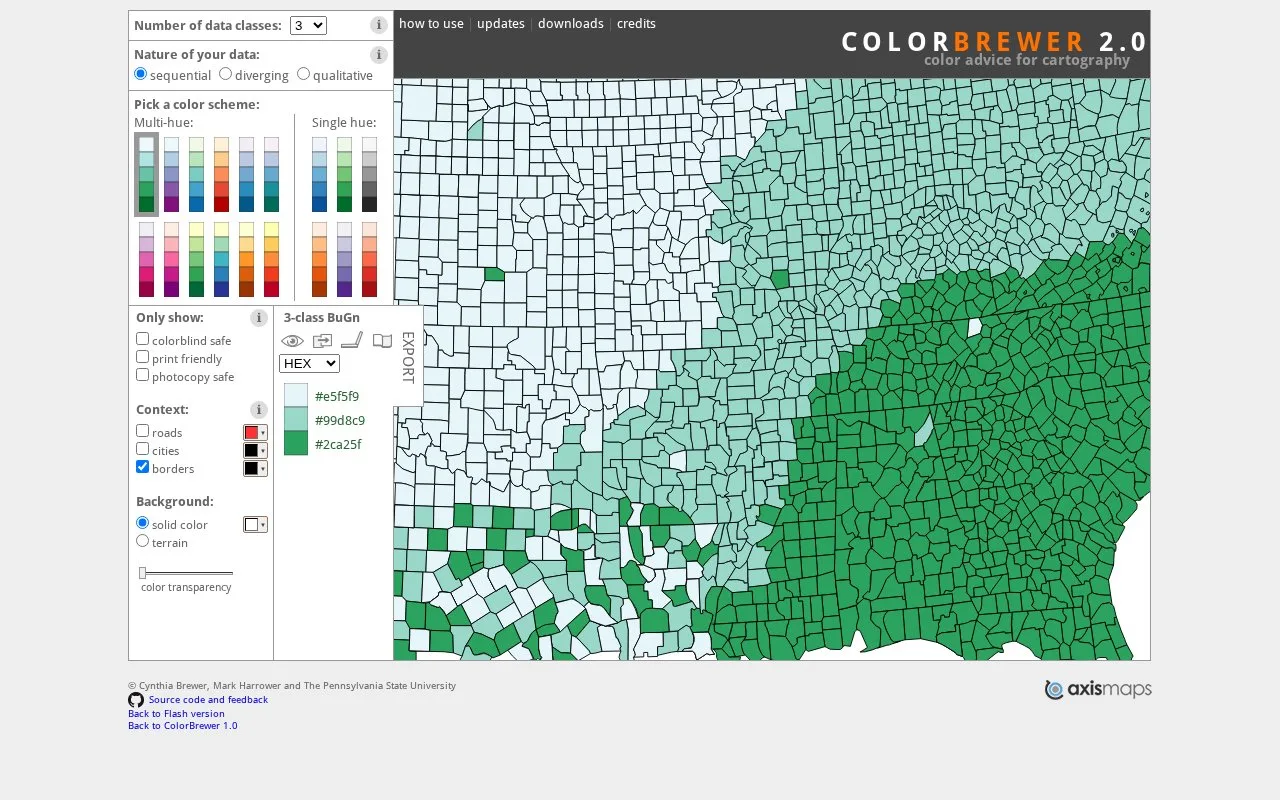
ColorBrewer helps cartographers choose colours for ordered values, diverging values or categories. Set the number of classes, filter schemes for colour-vision and print needs, then export the result for code or design applications. Its published project uses Apache 2.0 licensing.
Match the scheme to the data
Use sequential for values that progress from low to high. Diverging gives a meaningful midpoint, such as zero change, a separate emphasis. Qualitative distinguishes categories without implying that one is larger than another.
Set the class count, then use the colorblind safe, print friendly and photocopy safe filters. Roads, cities, borders and background controls show how the scheme reads on the example map.
Export as an Adobe Swatch Exchange file, a GIMP palette, a JavaScript array or CSS classes, or share a permalink. The Apache licence permits reuse and modification, with licence and notice requirements for redistribution. Diverging schemes may need an asymmetric subset when there are more classes on one side of the midpoint.
Strengths
- Scheme choices account for data order and class count.
- Exports include swatches, JavaScript arrays and CSS classes.
Watch out for
- A symmetric diverging palette may need adjustment for an uneven split around the midpoint.
Best for
- Cartographers styling choropleth maps
- Data-visualisation developers selecting categorical or numeric schemes
Sources
- ColorBrewer map colour selection and exports (Oct 27, 2026)
- ColorBrewer colour scheme types (Oct 27, 2026)
- ColorBrewer Apache 2.0 licence (Oct 27, 2026)