
What it does
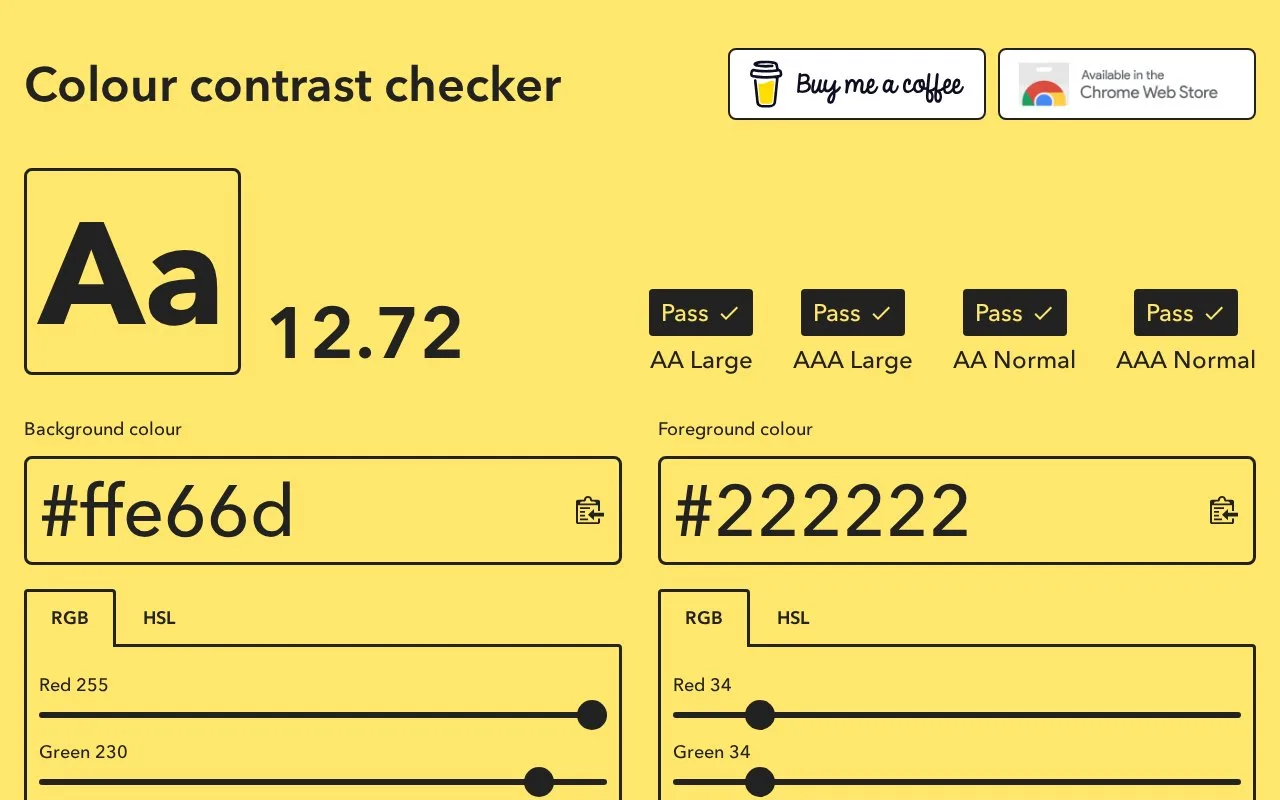
Colour Contrast Checker shows a contrast ratio and separate AA and AAA accessibility contrast results for normal and large text. Its web interface combines hex, RGB and HSL controls with text previews, colour reversal and clipboard copying. The browser app's source code is available under MIT.
Change either colour numerically or with the RGB and HSL controls, then compare the two text samples. The large sample is labelled 18pt/24px and the normal sample 16px. A typeface selector lets you inspect a different visual treatment while keeping the chosen colour pair in view.
Copy the final values beside their input fields. For checking colours already on a page, the companion Chrome extension adds an eyedropper, saved pairs and a share link back to the web app. It stores up to five pairs locally.
The extension needs an existing tab reloaded after installation. It cannot run on restricted pages such as browser settings or the Chrome Web Store. The web app’s source code is available under MIT.
Strengths
- Separate normal and large-text results keep the text-size distinction visible.
- The companion extension samples colours directly from a webpage.
Watch out for
- The Chrome extension cannot inspect browser-restricted pages.
- Its saved-pair list holds at most five combinations.
Best for
- Interface designers adjusting colour pairs or sampling them from existing pages.
Sources
- Colour Contrast Checker (Oct 28, 2026)
- GitHub - Pushedskydiver/Colour-Contrast-Checker: Check the contrast between different colour combinations against WCAG standards · GitHub (Oct 28, 2026)
- GitHub - Pushedskydiver/CC-Checker-Web-Extension: WCAG accessibility colour contrast checker web extension · GitHub (Oct 28, 2026)
- Colour Contrast Checker - Chrome Web Store (Oct 28, 2026)
- Colour-Contrast-Checker/LICENSE at main · Pushedskydiver/Colour-Contrast-Checker · GitHub (Oct 28, 2026)