
What it does
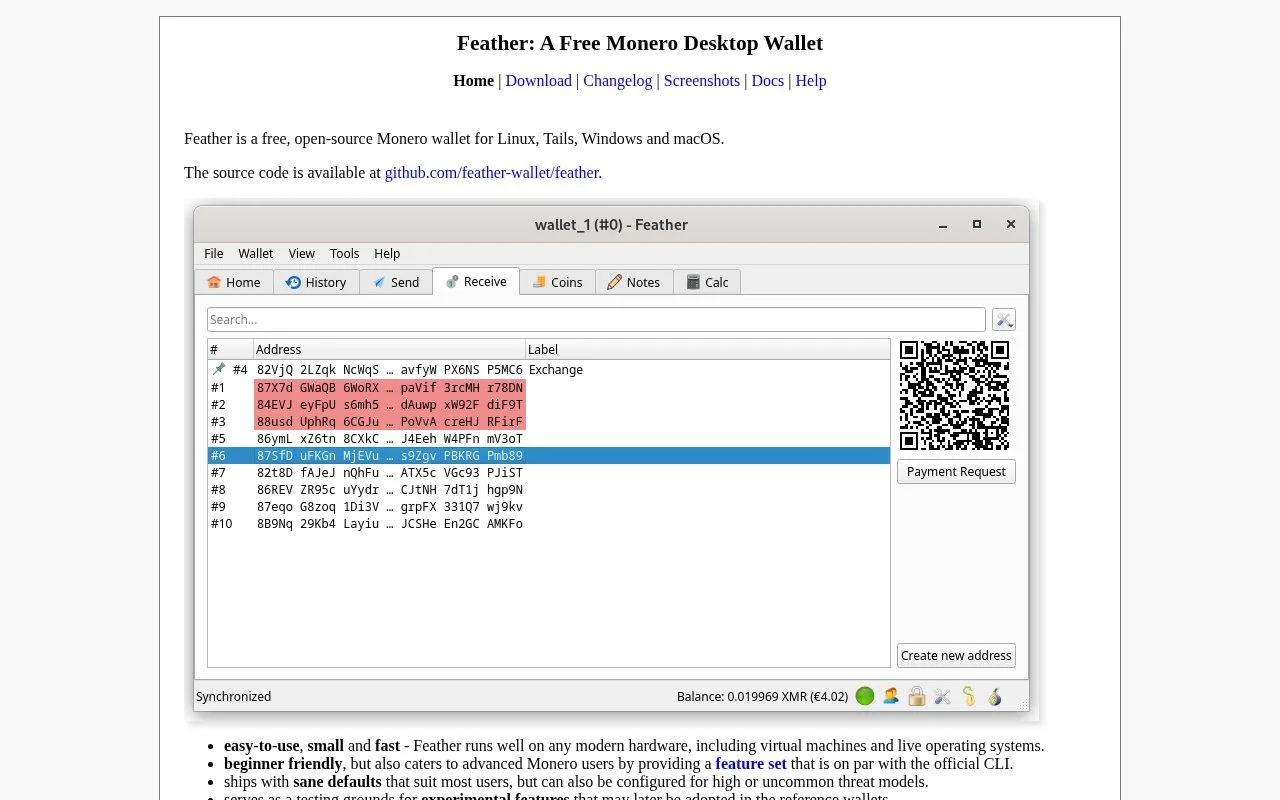
Feather is a free, open-source Monero wallet for Linux, Windows and Mac, including Tails and other live systems. It provides detailed payment review, selectable fee tiers and configurable Tor connections.
Feather concentrates on Monero rather than a catalogue of unrelated assets. Its desktop builds include Windows, Intel and Apple Silicon Macs, Linux and a separate Tails/Whonix option. Download the matching package and use its accompanying signature and the signed hash list to check the file.
Creating a wallet is a local process with no service registration. Open File, then New/Restore, and select Create new wallet. Feather generates a 16-word Polyseed recovery phrase. Record it offline, choose the wallet's name and file location, and set a password that encrypts those files. The seed is the recovery route if the files or computer are lost.
For a payment, the Send tab accepts a Monero address, an OpenAlias name or a pasted QR image. Its Description field is a private bookkeeping note stored in the wallet cache; it is not a message to the recipient. Enter the amount and construct the transaction. The review dialog shows the fee, and Advanced reveals details such as the funds being spent. Only the final Send broadcasts the payment.
Feather adjusts fees automatically, with no cut for its developers. If you need to choose a tier, enable manual fee-tier selection in the transactions settings. The recipient amount and the network fee are separate.
Tor support has a useful qualification: the default node connection switches to Tor after initial synchronization. To change that choice, use Settings, Network, then Proxy; you can choose always, never or after initial sync. Tails and Whonix route traffic through Tor independently of that app setting, while local-node traffic does not use Tor. The project also serves as a home for experimental features, so consult the relevant release notes before adopting a new function.
Strengths
- Separate builds support ordinary desktops and live-system environments
- Payment review distinguishes private notes, recipient amount and network fee
- Tor routing and fee tiers can be adjusted explicitly
Watch out for
- Default node synchronization initially runs outside Tor
- Recovery depends on keeping the seed independently of wallet files
- The project includes experimental features as well as routine wallet functions
Best for
- Monero users who want desktop payment and connection controls
- People working with Tails, Whonix or a dedicated XMR computer
Sources
- Feather Monero desktop wallet (Oct 27, 2026)
- Feather operating-system downloads and signatures (Oct 27, 2026)
- Create a Feather wallet and its seed backup (Oct 27, 2026)
- Feather payment construction and review (Oct 27, 2026)
- Feather Tor defaults and proxy options (Oct 27, 2026)
- Feather automatic and manual fee tiers (Oct 27, 2026)
- Feather official BSD-3-Clause licence (Oct 27, 2026)