
What it does
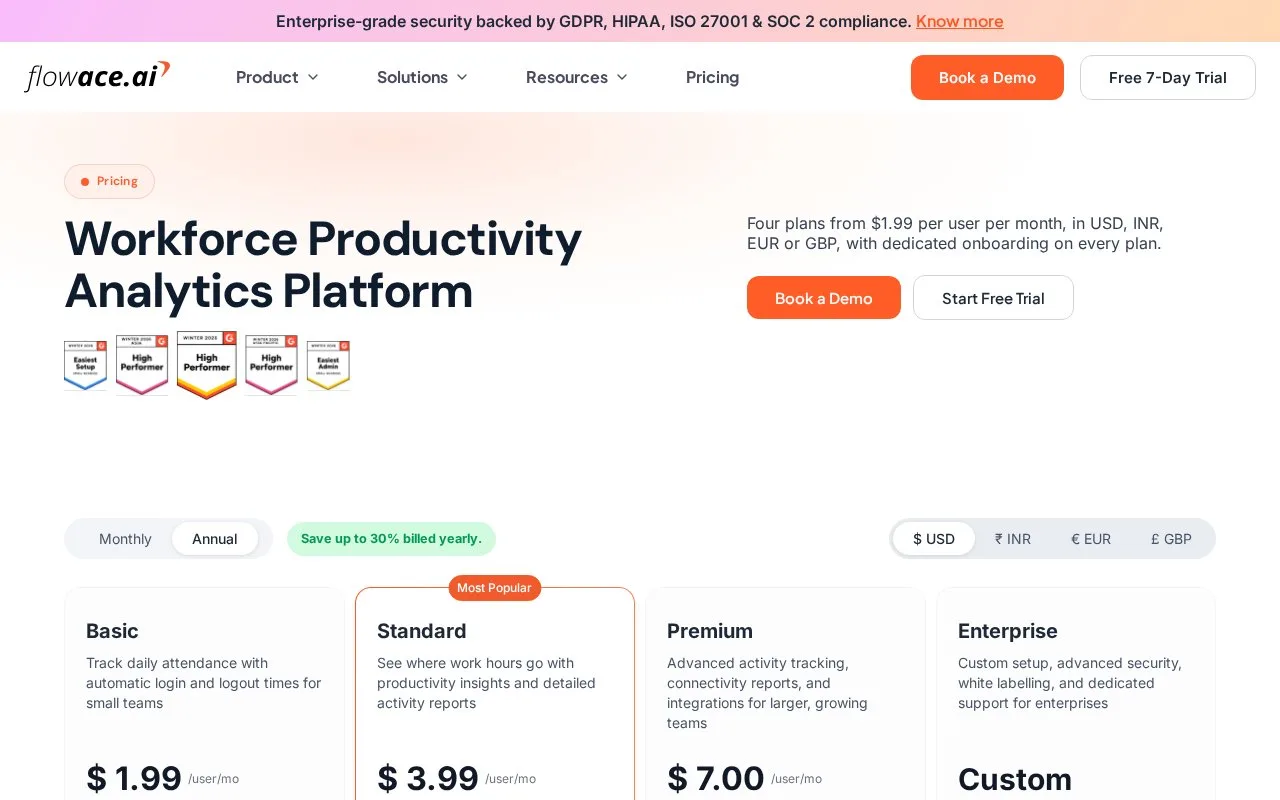
Flowace combines automatic time capture and attendance with project/task allocation, timesheet reporting, and workforce dashboards. Its pricing page lists annual rates of $1.99/user/month for Basic, $3.99 for Standard, and $7 for Premium; Enterprise is custom, and a seven-day trial is offered. The same page gives a broader monthly range from $2.99 to $10 without clearly mapping each amount to a tier. App/site activity and screenshots are part of its employee-monitoring features.
Flowace suits organizations that want time reports joined to attendance and productivity analysis. The vendor describes automatic capture, task and project tracking, timesheets, and dashboards, alongside app/site monitoring and screenshot features. Annual per-user/month rates are listed at $1.99 for Basic, $3.99 for Standard, and $7 for Premium, with Enterprise by quote and a seven-day trial. A pricing FAQ gives a general monthly range from $2.99 to $10, but does not clearly map each rate to a tier. Because monitoring is part of the platform, teams should evaluate the information collected and their workplace policies separately from the timekeeping workflow.
Strengths
- Combines automatic time and attendance capture with projects, tasks, and timesheet reports.
- Publishes annual tier prices and a seven-day trial.
Watch out for
- The product is a wider workforce productivity and monitoring platform, not only a time tracker.
- The page’s monthly price range is not mapped clearly to individual tiers; screenshot and app/site monitoring require policy review.
Best for
- Organizations connecting employee time, attendance, and project reporting
- Managers evaluating automated timesheets alongside workforce dashboards
Sources
- Flowace Pricing: $1.99 to $7.00 per User per Month (Oct 25, 2026)