
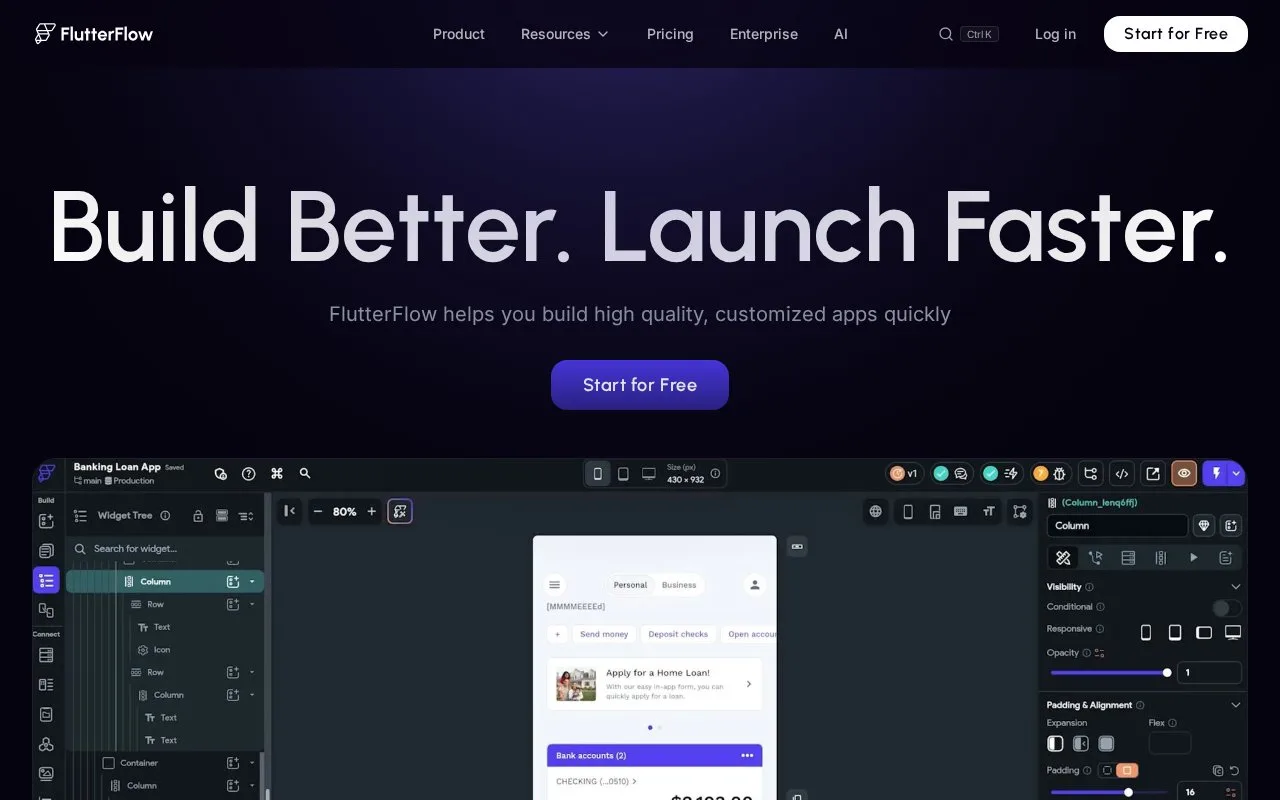
What it does
FlutterFlow is a browser-based visual development environment for mobile, web, and desktop applications built with Flutter. Developers arrange widgets on a canvas, define behavior with visual action flows, and connect data or API calls. When the visual building blocks are not enough, projects can include custom Dart functions, actions, widgets, and code files. The product therefore sits between a low-code app builder and a conventional code-first IDE, with code export and team features varying by plan.
Assemble an app, then add behavior
The official quickstart uses a small product-quantity selector to introduce FlutterFlow's workflow. It requires an account and browser, then has the reader clone a starter project, build a widget layout, style it, manage page state, and run the app. The example shows where a visual editor helps: screen structure and straightforward interactions can be assembled without writing every widget by hand.
The App Builder combines a canvas with panels for project navigation, widgets, properties, and app logic. API calls and backend integrations can be wired into a page, and Test Mode provides a live debugging view. For logic that does not fit a visual flow, custom Dart functions, asynchronous actions, custom widgets, and code files can be edited in the application or via its VS Code extension. This is more extensible than a static mockup, but it still targets Flutter projects rather than arbitrary languages or repositories.
Check the export boundary
FlutterFlow's free plan includes the visual environment and up to two projects. The pricing page places source-code and APK download in a paid tier, while higher plans add collaboration and automated-testing capacity. Teams should decide early whether they need to export and maintain generated Flutter code outside the builder, and whether their chosen plan includes the collaboration, integration, or testing features they expect. The published feature list can change, so confirm current plan limits before committing a team workflow.
Strengths
- Visual widgets and action flows provide a low-code path from screen layout to interactive Flutter app behavior.
- Custom Dart functions, actions, widgets, and code files offer a documented escape hatch for app-specific behavior.
- The builder integrates data and API calls and includes a live Test Mode for checking the app during development.
Watch out for
- Projects target Flutter, and unsupported visual components or platform details may require custom Dart or native configuration.
- The free tier is limited to two projects; downloading project source or an APK is listed in a paid plan.
Best for
- Prototyping a Flutter app's screens, state, and straightforward interactions in a browser
- Developers combining visual app building with custom Dart code and backend API integrations
- Small teams deciding whether a low-code workflow can accelerate a Flutter product before exporting code
Sources
- FlutterFlow - Build Beautiful, Modern Apps (Oct 26, 2026)
- Quickstart Guide | FlutterFlow Documentation (Oct 26, 2026)
- Writing Custom Code | FlutterFlow Documentation (Oct 26, 2026)
- Pricing | FlutterFlow (Oct 26, 2026)