
What it does
Material Symbols is Google’s current Material icon set, with outlined, rounded and sharp families. It offers variable-font controls and individual SVG or PNG assets under Apache 2.0.
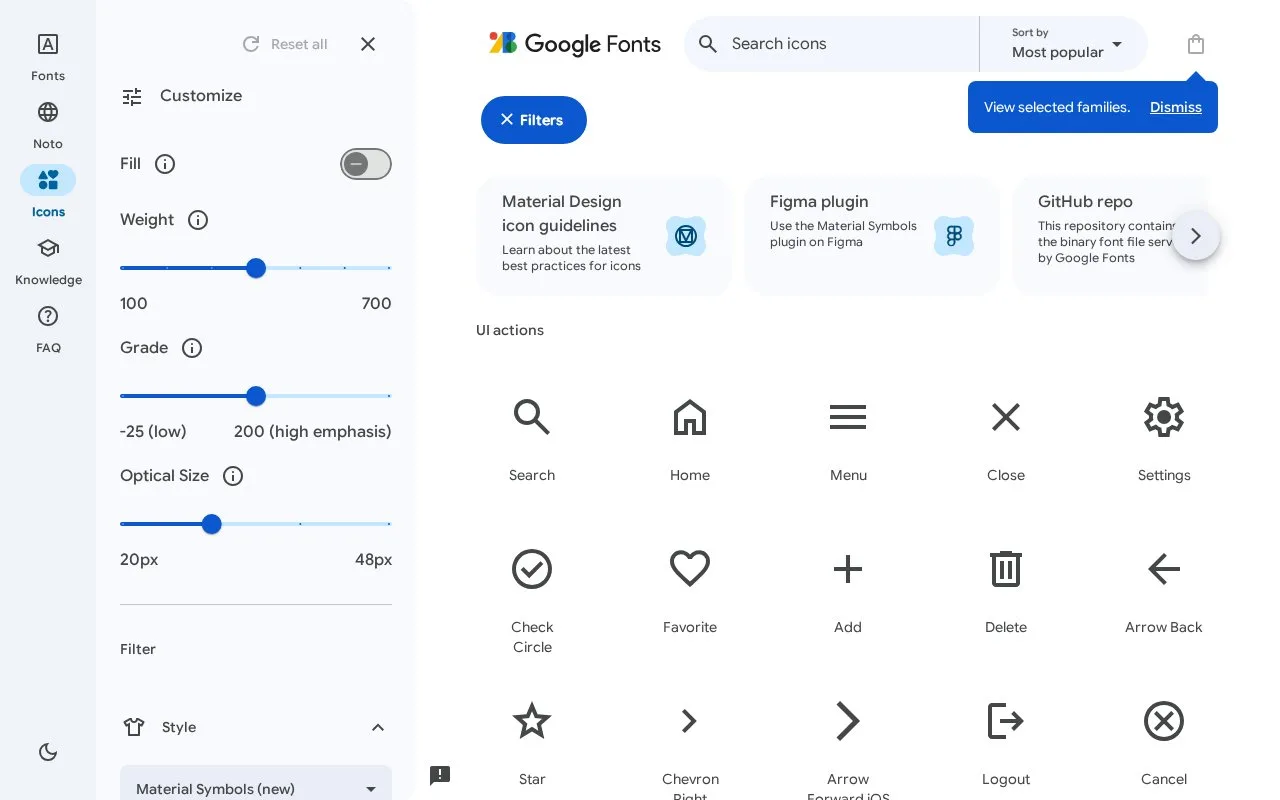
Material Symbols can adapt an icon’s weight and optical size to the surrounding interface. Fill can express selection without changing the symbol’s name, while grade changes thickness more subtly than weight.
In Google Fonts, select an icon and open its icon font panel for its name and character code, or download an SVG or PNG. On the web, the font can turn a textual name such as arrow_forward into the corresponding symbol. Use the hosted stylesheet or self-host the font with the documented rendering CSS.
For a small toolbar, the Google Fonts guide shows how to request just the required names through icon_names, using an alphabetically sorted list. Restricting the axis ranges also avoids loading variations the interface will never use.
The repository distinguishes Symbols from classic Material Icons, whose updates have stopped. It excludes third-party brand logos and has no two-tone Symbols variant. Google does not maintain or vet the listed third-party npm packages. The icons are free under Apache 2.0; retain the applicable licence and notices when redistributing them.
Strengths
- Adjustable fill, weight, grade and optical size support consistent interface states.
- Offers outlined, rounded and sharp families.
Watch out for
- Does not include third-party brand logos.
- Material Symbols has no two-tone variant.
Best for
- Interfaces following Material design.
- Products needing adjustable icon weights.
Sources
- Material Symbols / Material Icons (Oct 27, 2026)
- Material Symbols guide (Oct 27, 2026)
- Apache License 2.0 (Oct 27, 2026)