
What it does
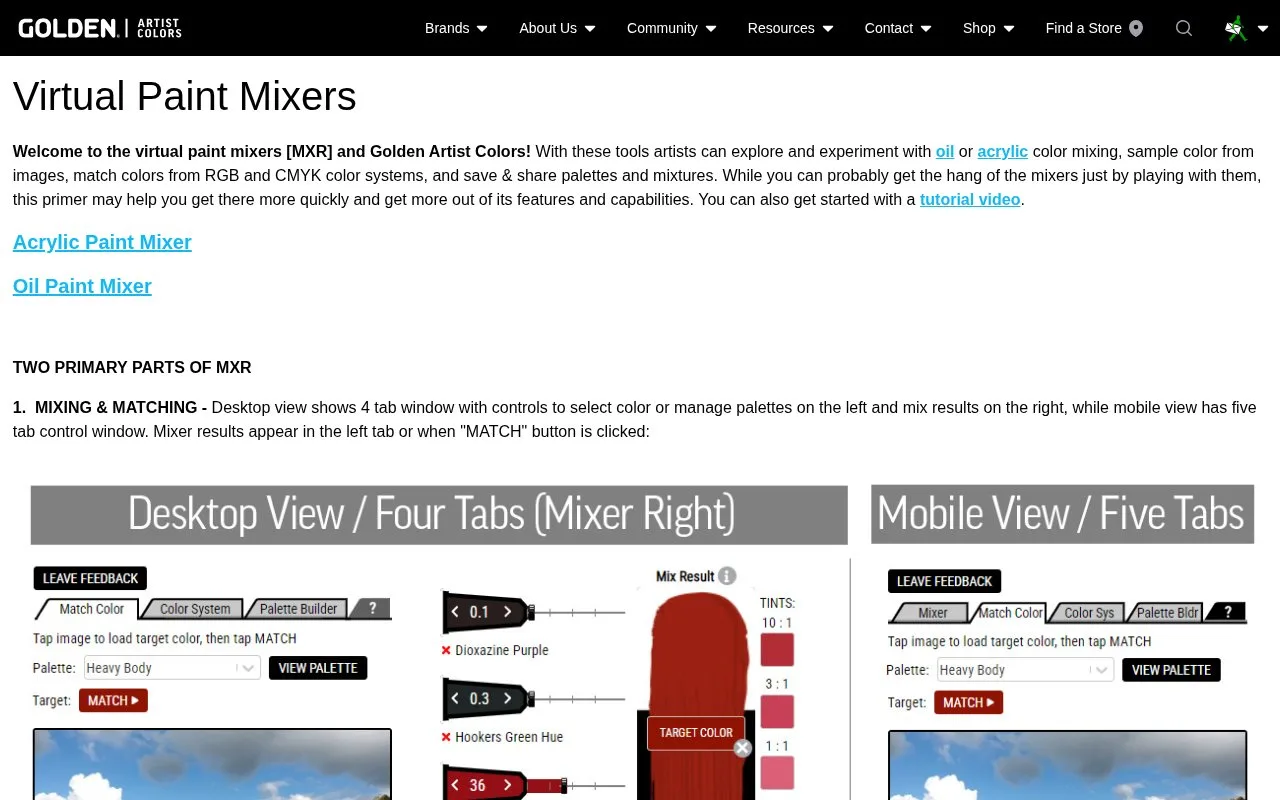
GOLDEN’s free Virtual Paint Mixers offer acrylic and Williamsburg oil-colour workflows. Artists can build a palette from their available paints, adjust mixtures and compare them with a target colour.
Choose a target from an image or enter RGB or CMYK values. Matching uses only the paints in the selected palette. Tube controls then change the amounts, while the mixture-info view supplies weight ratios. On desktop, open that view before using Print to include the formula in the printable screen grab.
Reduce Colors reformulates with one fewer paint. Simplify Ratio rounds the recipe into easier proportions, which can change the resulting colour. Undo restores up to five previous actions.
A Studio Assistant account is required to save custom palettes and mixtures. Uploaded reference images are not saved by the mixer.
Strengths
- Matching is restricted to the selected set of paints.
- A mixture can be printed with its weight-ratio information.
Watch out for
- Simplifying ratios can change the mixture colour.
- Uploaded images are not saved.
- Saving palettes and mixtures requires an account.
Best for
- Artists planning acrylic or oil mixtures from their available paints.
Sources
- Virtual Paint Mixers | Golden Artist Colors (Oct 28, 2026)
- New & Updated Virtual Paint Mixer [now mixing oil colors!] | Golden Artist Colors (Oct 28, 2026)