
What it does
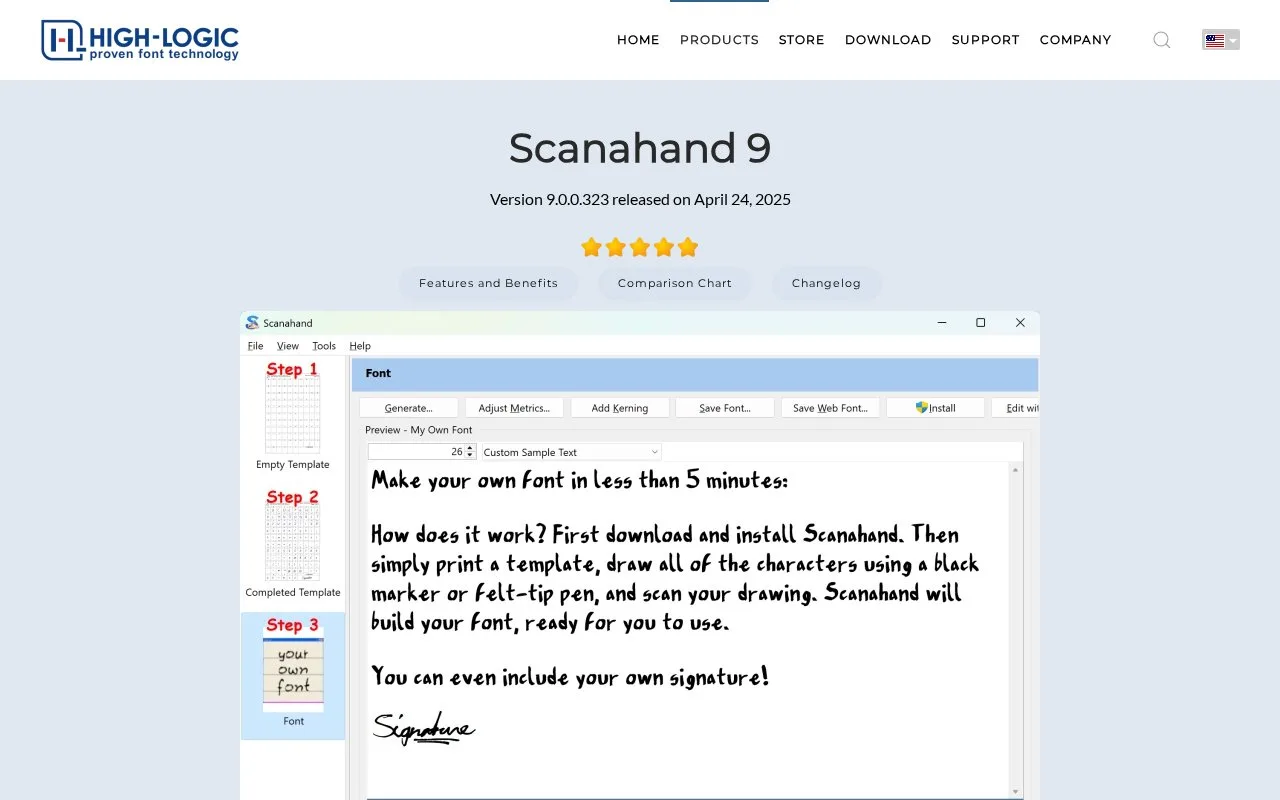
Scanahand creates fonts from handwritten or digitally drawn templates. Its workflow imports the completed sheet, generates a font and provides preview, spacing and optional kerning tools.
Scanahand turns a filled-in character sheet into an installable font. Print a template and draw with a black marker, or fill it digitally, then scan the sheet from the application or open its image file. Give the font a name, generate it and use the preview to inspect the result. Adjust Metrics can refine spacing and add kerning before you install or export the font.
Standard covers a 216-character template. Premium adds custom templates, including symbol and signature layouts, and supports much larger character sets. That makes the edition choice depend on what you want to draw, not just how many fonts you will make. The Windows application has a 30-day trial with most Premium features; continued font generation requires a paid, perpetual licence. The trial download does not require an email address.
Strengths
- Converts paper or digital character templates into font files.
- Provides preview, spacing and kerning adjustments after generation.
Watch out for
- Custom template editing requires Premium.
- The application is Windows software.
Best for
- Personal handwriting fonts.
- Small custom symbol or lettering sets.
Sources
- Scanahand for Windows – Easily Create Handwriting & Signature Fonts (Oct 27, 2026)
- Buy Scanahand | High-Logic (Oct 27, 2026)
- Download Scanahand | High-Logic (Oct 27, 2026)