
What it does
Hostwinds Cloud Servers are virtual private servers managed through the Hostwinds Cloud Control Portal. During creation, choose an operating system, application image or ISO; select managed or unmanaged support, a resource plan, SSH keys, location, billing cycle, and server count. The portal also manages firewall rules, volumes, snapshots, load balancers, and IP addresses. Linux servers include root access and Windows servers include administrator access; users can scale to another plan as their needs change.
Shape a server before it is created
The documented setup flow begins in the Cloud Control Portal: select Create, choose Servers, then specify the image, support level, plan, SSH keys, location, nickname, and billing cycle. The image choices include common Linux distributions, Windows, one-click applications, and ISOs. The creation form can launch multiple servers with the same configuration, which is handy for a small test fleet or a repeatable lab.
After deployment, the portal provides snapshots, firewall and volume controls, load balancers, IP management, and a server API. Use snapshots as a recovery point or as a template for another instance. For Linux, the page documents root access; for Windows, it documents administrator access. Managed and unmanaged support are separate choices, so decide whether your team will maintain the guest operating system before placing a workload there.
Budget by the hour
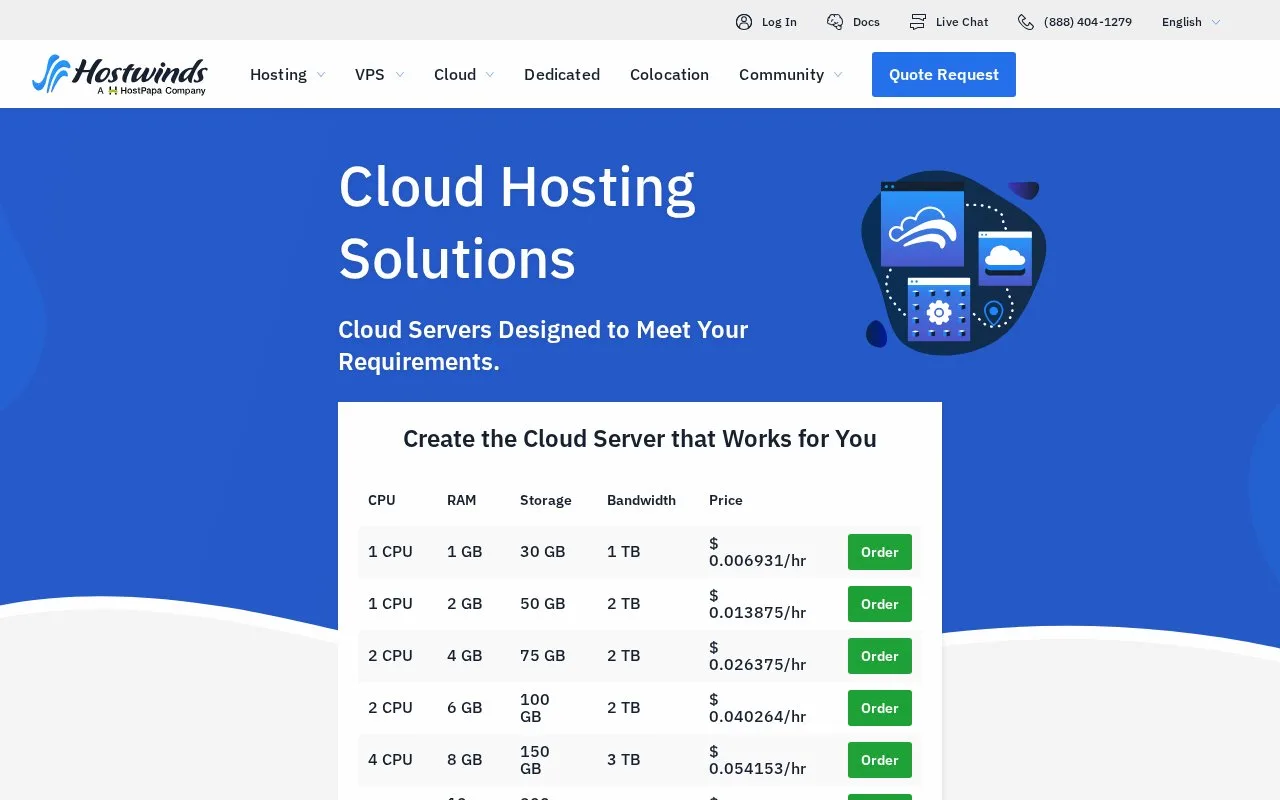
The product page lists hourly rates by CPU, memory, storage, and transfer plan. Its billing description says you pay for the resources used at the rate used. Account creation is required before deployment. The product page also describes nightly backup service and 24/7 monitoring, but those service details should not be mistaken for a replacement for application-level backup or alerting policies.
Strengths
- The creation guide lays out concrete image, plan, SSH key, data-center, billing-cycle, and quantity choices.
- The Cloud Control Portal includes server management features such as snapshots, firewall profiles, volumes, IP management, and load balancers.
- Hourly billing and repeatable multi-server creation support temporary environments and small test fleets.
Watch out for
- Each new server is a separately charged plan; the management guide warns that adding one increases current charges.
- Users must choose managed or unmanaged support, and server-level administration differs between those options.
Best for
- Creating development or staging VPS instances from a chosen operating-system or application image.
- Managing snapshots, network controls, and several similarly configured servers from one cloud portal.
Sources
- Cloud Hosting Solutions, Scalable Cloud Servers | Hostwinds (Oct 25, 2026)
- Create a Cloud Server | Hostwinds Documentation (Oct 25, 2026)
- Cloud Server Management | Hostwinds Documentation (Oct 25, 2026)