
What it does
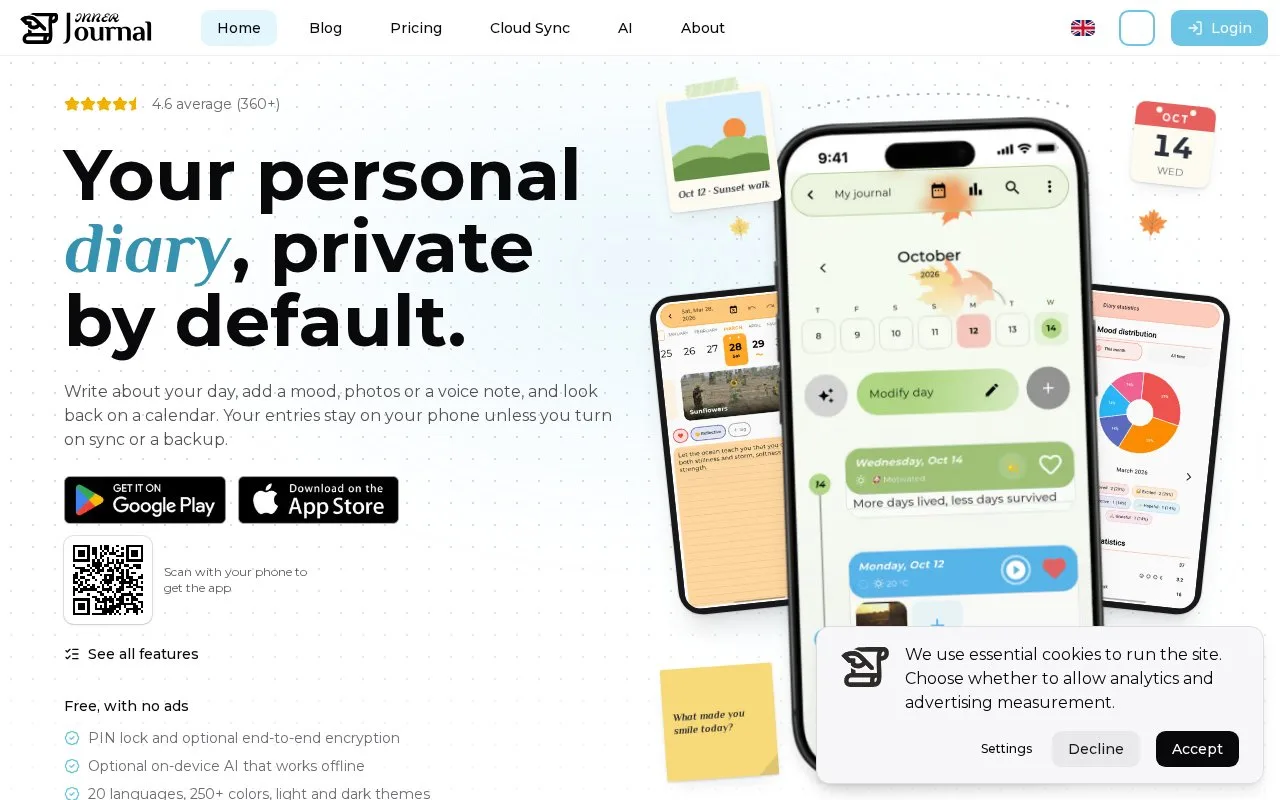
Inner Journal is a personal diary app for writing entries with moods, photos, voice memos, tags, and places. Its official site says entries remain on the phone unless a user opts into sync or backup, and describes a free ad-free app with an optional PIN lock and on-device AI. The privacy policy, updated 2026-10-19, describes Android and iOS apps plus an account-based web version; optional cloud sync uses the user's selected provider or the product's cloud service.
Keep diary entries local, then opt into the sync path you need
Inner Journal combines daily writing with mood markers, photos, voice notes, tags, and places, then presents older entries through calendar and timeline views. Its AI page describes optional on-device summaries and questions about a month that can run without uploading entries for AI. The Cloud Sync page describes writing in the mobile app and browser with the same account, with optional end-to-end encrypted diaries.
The privacy policy, last updated 2026-10-19, says entries are stored locally by default and explains how cloud sync and backup change data handling. It also says free cloud sync covers up to two enrolled diaries, with a Plus subscription removing that limit. The product homepage describes the app as free and ad-free. This offers more control than an always-online diary, but a user needs to understand which sync or backup switch is enabled. I did not install the app, enroll a diary, inspect data storage, or test its encryption or on-device AI.
Strengths
- The product describes local storage by default with optional cloud sync and backup.
- Mood, photos, voice notes, tags, places, and calendar views support a richer journal than text alone.
- The AI page describes optional on-device features that can work without uploading entries for AI processing.
Watch out for
- Cloud sync and account-based web access change the data flow, so users need to choose and understand the optional sync and backup settings.
Best for
- People who want a private diary with mood and media alongside written entries
- Users who want to begin locally and opt into cross-device sync only when they need it
Sources
- Inner Journal | Private Personal Diary (Oct 25, 2026)
- Privacy Policy | Inner Journal (Oct 25, 2026)
- Cloud Sync | Inner Journal (Oct 25, 2026)
- AI in Inner Journal, on your terms (Oct 25, 2026)