
What it does
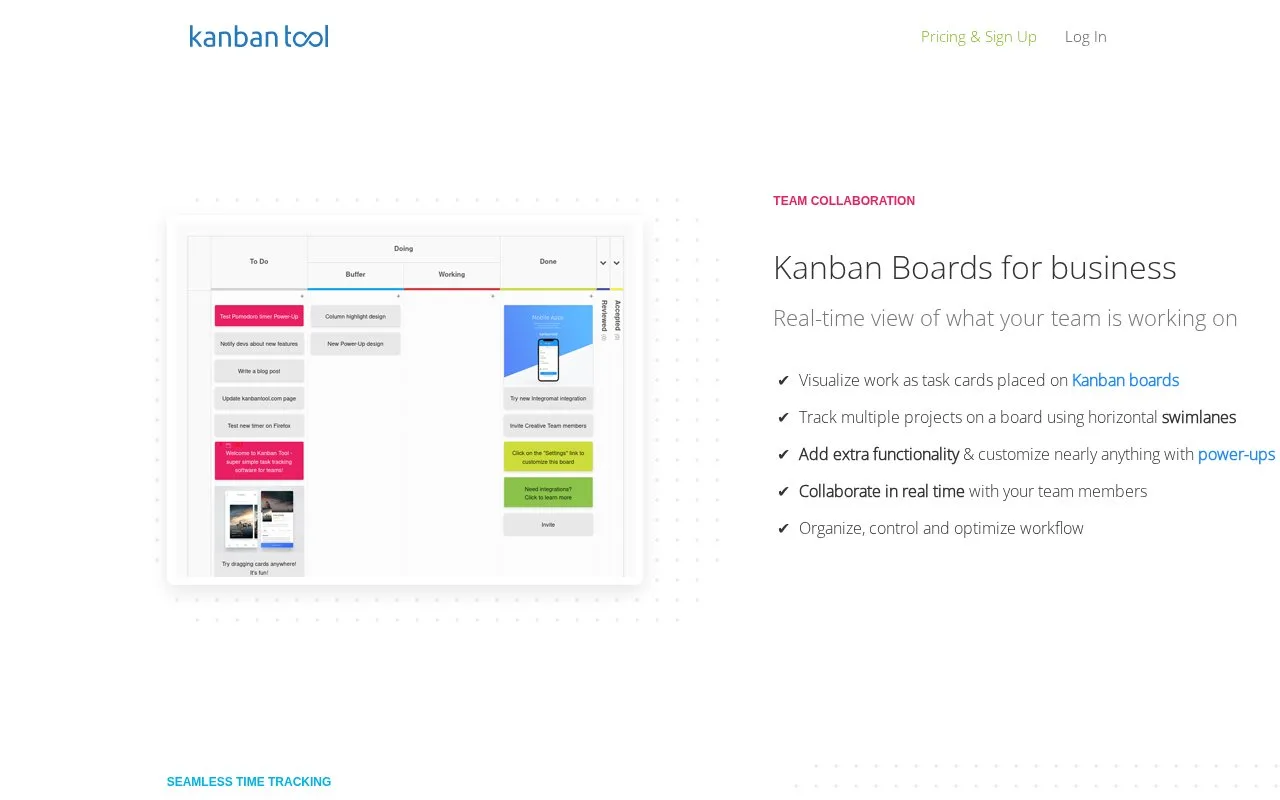
Kanban Tool shows work as cards on online boards. It describes swimlanes, real-time visibility, recurring tasks, and analytics. An On-Site edition runs on company servers; hosted plans include time tracking and reports.
Use swimlanes to separate projects and columns to match workflow. The product page describes recurring tasks, email task creation, and export to Excel or CSV; the On-Site edition can run on a local server without internet access. The current pricing page lists Free ($0 for two boards and two users, without file attachments), Team ($6 per user/month), and Enterprise ($11 per user/month), with a 14-day trial. Its feature matrix places time tracking/reporting and process automation on Enterprise; confirm the tier before relying on them.
Strengths
- Swimlanes separate several projects on one board.
- Recurring tasks, exports, and time reports extend board tracking.
- On-Site installation supports local server use.
Watch out for
- The Free plan is limited to two boards and two users and excludes file attachments; larger teams need a paid tier.
Best for
- Teams visualizing work with multiple swimlanes
- Organizations choosing hosted or local installation
Sources
- Discover Kanban Tool | Kanban Tool (Oct 25, 2026)
- Free Trial & Pricing | Kanban Tool – Online and On-Site Kanban Software | Kanban Tool (Oct 25, 2026)