
What it does
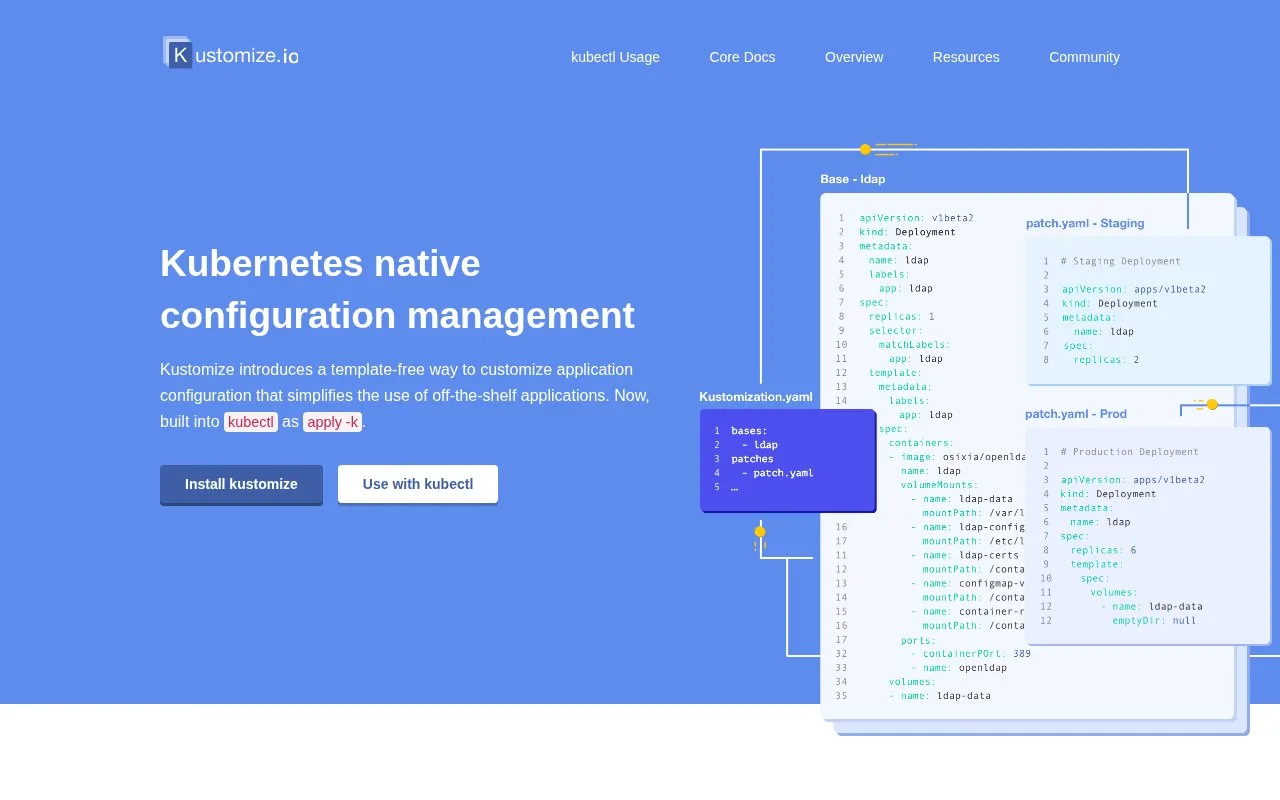
Kustomize customizes Kubernetes YAML while leaving the source files intact. A kustomization file lists resources and describes generators and transformations such as patches, labels, namespaces, and name prefixes. Overlays let teams apply environment-specific changes to a shared base. The kustomize build command emits the resulting manifests, and Kustomize is also integrated into kubectl.
Keep shared manifests in a base
Begin with ordinary Kubernetes resource files, such as a Deployment and Service, and a kustomization.yaml that lists them under resources. Kustomize can also generate ConfigMaps and apply transformations such as labels, namespaces, image updates, and patches. The resulting files remain Kubernetes YAML rather than a separate template language.
Use an overlay for environment changes
A staging overlay can refer to the shared base and add a patch for a setting such as replica count. Run kustomize build against the overlay to inspect the rendered resources, then apply the output as a separate action, for example with kubectl apply -f -. This is an illustrative workflow based on the official configuration-management guide; no cluster changes or commands were made for this record. Kustomize is also built into kubectl through apply -k.
This structure is useful when environments share most of their manifest but need explicit differences. Kustomize targets Kubernetes resource objects; it is not a general-purpose renderer for arbitrary configuration formats. Building YAML does not itself deploy an application. The official project repository publishes Kustomize under Apache 2.0.
Strengths
- Applies environment-specific changes through overlays that refer to reusable bases.
- Supports generators and transformations including ConfigMap generation, patches, labels, namespaces, and image changes.
- The standalone CLI and the Kustomize flow embedded in kubectl provide ways to use the same approach.
Watch out for
- The build produces YAML; applying it to a cluster is a separate step.
- It targets Kubernetes resource objects rather than arbitrary configuration formats.
Best for
- Maintaining development, staging, and production variants of shared Kubernetes manifests
- Reviewing Kubernetes YAML changes before applying them to a cluster
Sources
- Kustomize - Kubernetes native configuration management (Oct 26, 2026)
- Introduction | SIG CLI (Oct 26, 2026)
- Kustomize | SIG CLI (Oct 26, 2026)
- kustomize/LICENSE (Oct 26, 2026)