
What it does
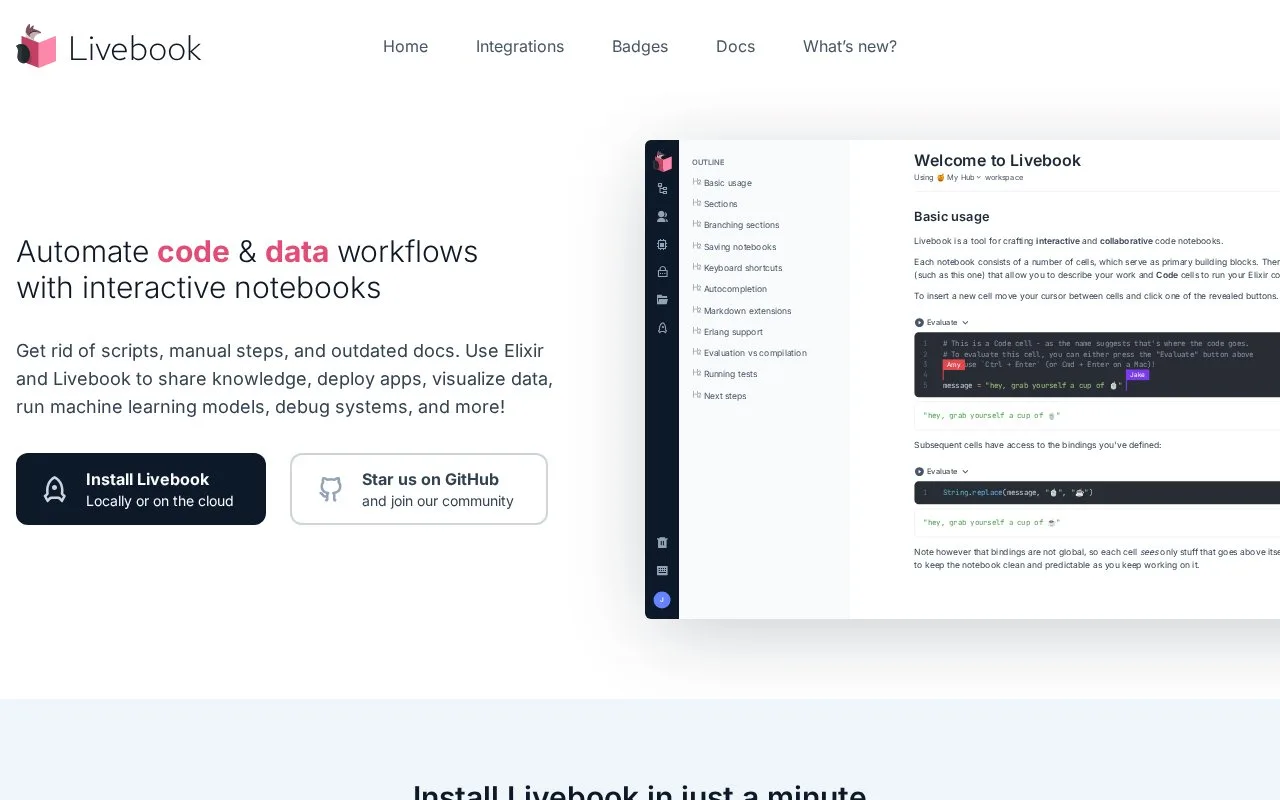
Livebook is an open-source web application for writing interactive code notebooks. A notebook combines Markdown and executable Elixir cells, with editor support for completion, inline documentation, and formatting. Results can include tables and visualizations through integrations such as Kino, and notebooks are stored as versionable .livemd files. It suits Elixir learning, project exploration, and shared technical notes that need to stay runnable.
Turn a note into an executable Elixir document
Start a notebook with a Markdown cell for context and a code cell for the first expression. Evaluate a cell with Ctrl+Enter, or Cmd+Enter on macOS, then add later cells that transform or display its result. A practical example is documenting a data-cleaning step beside the code that produces it, so a teammate can inspect both the explanation and output. The example describes a use, not a notebook run for this listing.
The editor supports completion, inline documentation, and formatting. Livebook's integrations can render results such as tables and charts, while its Smart cells expose higher-level workflows from the notebook UI. Files use the .livemd format, which can be versioned alongside project documentation.
Choose how it runs
Livebook is free, open-source software with desktop builds for Windows, macOS, and Linux, as well as a web application that can run locally or in a cloud environment. The normal code-cell workflow is centered on Elixir and its runtime; use a dedicated integration when you need a different language or an existing application context.
One detail to plan around: cell bindings are not global. Later cells can use values from earlier cells, so arrange dependencies in notebook order rather than treating cells as independent scripts.
Strengths
- Combines explanatory Markdown and executable Elixir cells in a versionable notebook file.
- Provides editor completion and inline documentation, plus integrations that render tables and charts.
- Supports collaborative notebook work and several deployment modes.
Watch out for
- Cell bindings are scoped through notebook order, so later cells can depend on earlier ones but not the reverse.
Best for
- Learning Elixir through runnable examples.
- Exploring Elixir applications or data with shareable notebooks.
- Keeping technical explanations and executable Elixir workflows together in version control.
Sources
- Home - Livebook.dev (Oct 26, 2026)
- Welcome to Livebook - Livebook documentation (Oct 26, 2026)
- Elixir integration - Livebook.dev (Oct 26, 2026)
- Livebook LICENSE - Apache License 2.0 (Oct 26, 2026)