
What it does
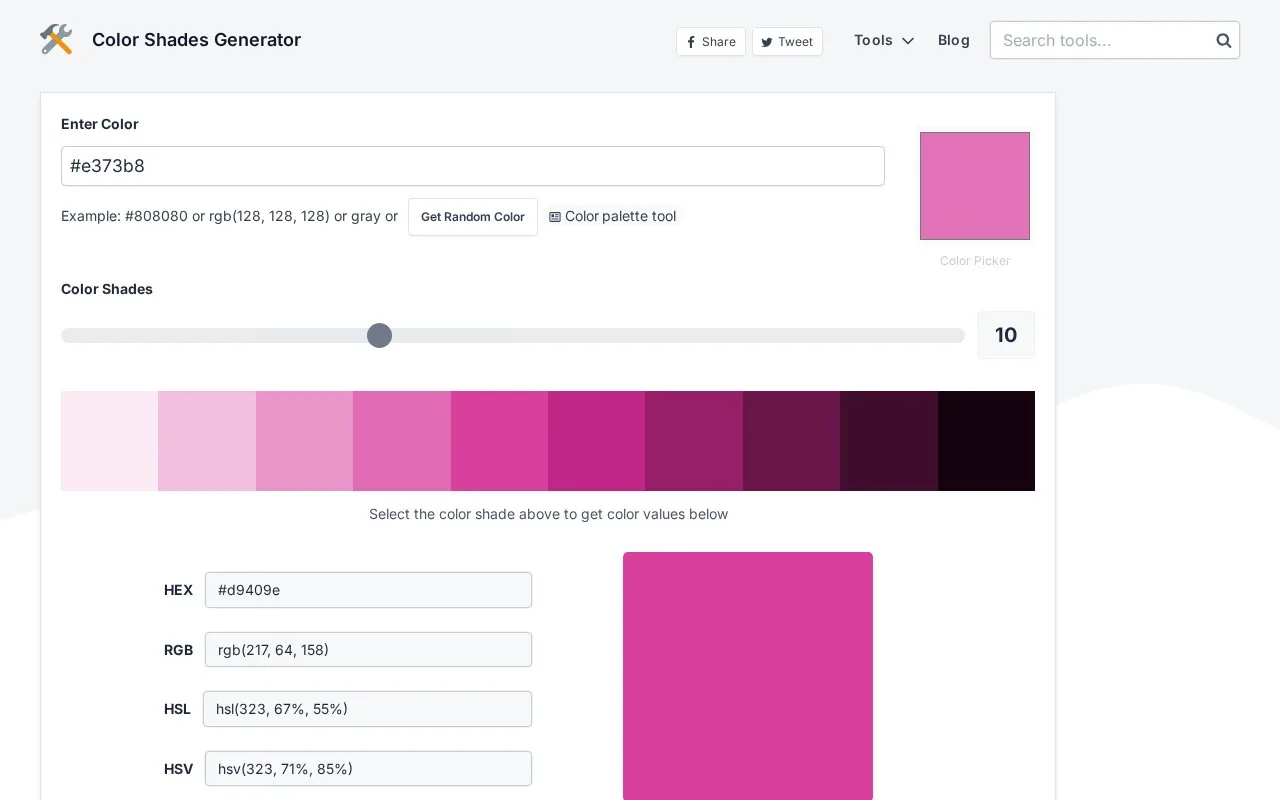
mdigi.tools creates an adjustable shade sequence from a starting colour. It accepts numeric formats or colour names and copies selected results as HEX, RGB, HSL or HSV.
Enter a colour, use the picker or choose a random starting point. The shade-count slider generates two to 25 steps, with ten shown by default. Select a swatch to reveal its values, then click the format needed by the receiving application.
If the browser blocks automatic clipboard copying, the values can still be selected and copied manually. The address updates with the current colour, providing a link for sharing the shade selection. Screen sampling through the native picker depends on the browser.
The site’s tools are free and supported by advertising. Shade calculations run in the browser rather than sending the entered colour to a processing server.
Strengths
- Scale length is adjustable rather than fixed.
- The URL retains the current colour for sharing.
Watch out for
- Screen-picking support depends on the browser.
- Automatic clipboard copying may require a manual fallback.
Best for
- Creating a short shade sequence in common numeric formats
Sources
- Colour shades controls and usage guide (Oct 27, 2026)
- mdigi.tools FAQ and free access (Oct 27, 2026)
- mdigi.tools Terms of Use (Oct 27, 2026)