
What it does
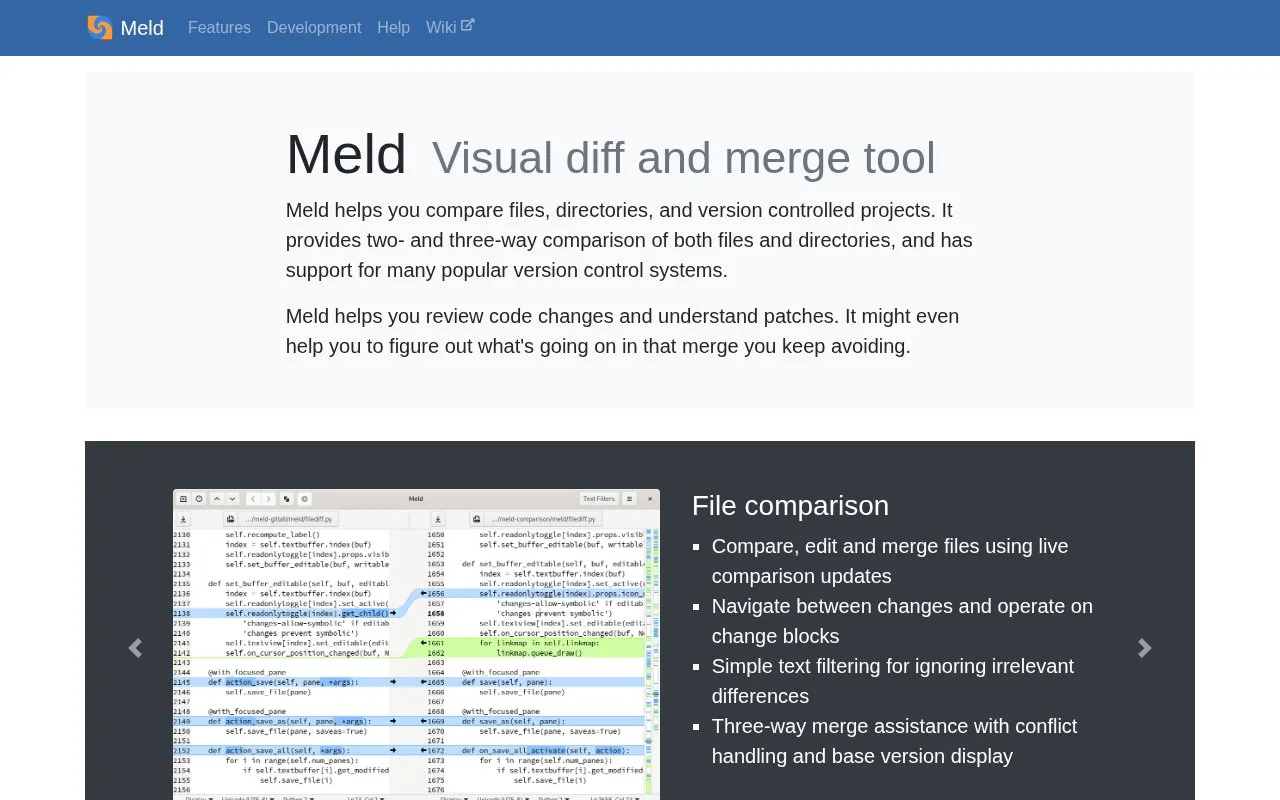
Meld is a desktop comparison workspace for reviewing text files, directory trees, and version-controlled projects. Its two- and three-way views highlight changes and provide operations on change blocks; three-way comparisons can show a base version for merge-conflict work. Meld supports several version-control systems, including Git, Mercurial, Bazaar, CVS, and Subversion. Its official site lists Linux distribution packages, Flathub, and a Windows installer, and says macOS is not yet supported.
Compare files and folders
Open a two-file comparison to review changed sections side by side. Meld updates the comparison as files change, lets users navigate between differences, operate on change blocks, and apply text filters to hide irrelevant differences. For directory comparisons, it can identify missing or modified files and open a file-level comparison for closer inspection. A three-way view adds a base version for merge-conflict review. These are documented capabilities, not hands-on test results.
Meld also supports multiple version-control systems, including Git, Mercurial, Bazaar, CVS, and Subversion. That makes it useful as a focused visual review and merge tool alongside an existing working copy, rather than a general-purpose code editor.
The official site lists packages for most Linux/Unix distributions and Flathub, plus a Windows installer. It says macOS is not yet supported, while noting that semi-official builds are available. The checked pages do not specify the maintenance or support guarantees for those macOS builds.
Strengths
- Two- and three-way comparisons support visual review of file changes, including merge work with a base version.
- Directory comparisons can surface missing or modified files and drill down to file-level differences.
- Supports several version-control systems, including Git, Mercurial, Bazaar, CVS, and Subversion.
Watch out for
- The official site says macOS is not yet supported.
Best for
- Reviewing code changes and patches in a visual diff interface
- Comparing directory trees and investigating missing or modified files
- Inspecting two- or three-way merge conflicts alongside an existing version-controlled project
Sources
- Meld (Oct 25, 2026)
- GNOME / meld · GitLab (Oct 25, 2026)
- COPYING · main · GNOME / meld · GitLab (Oct 25, 2026)