
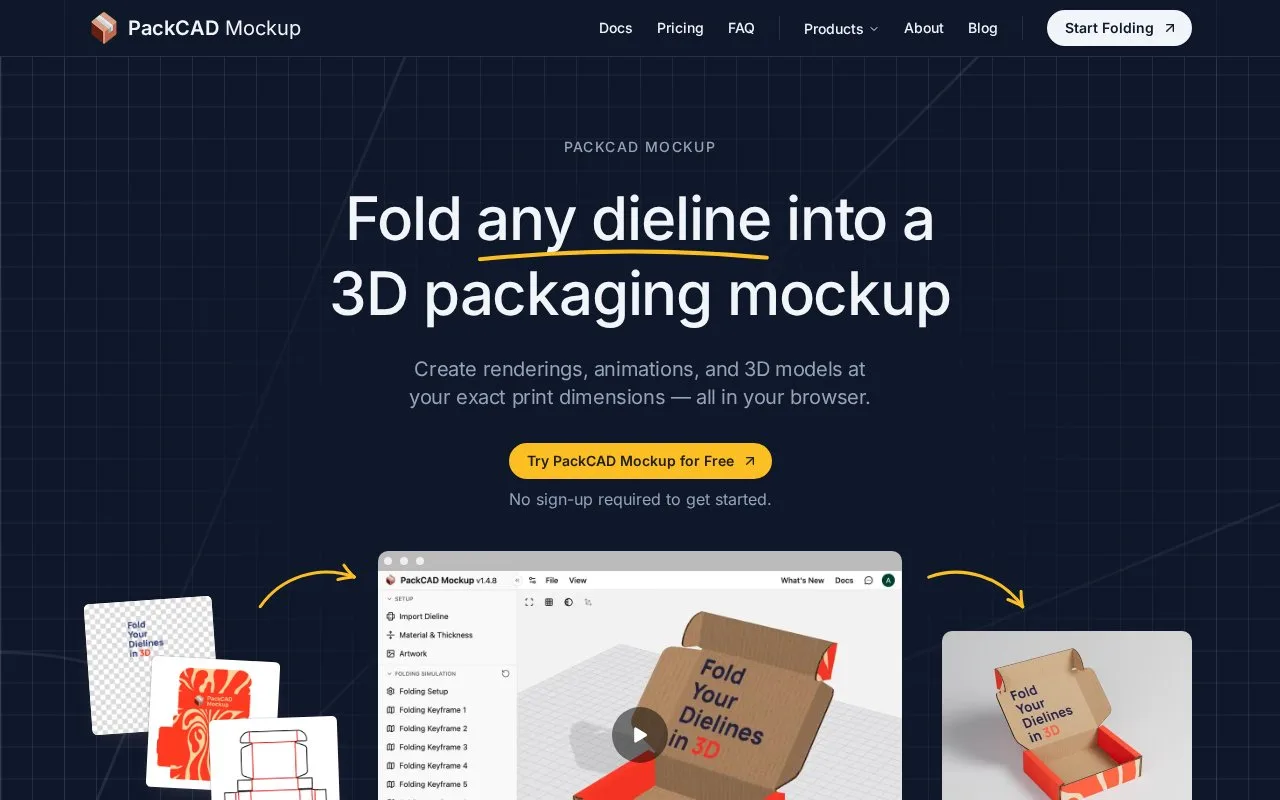
What it does
PackCAD Mockup turns a supplied dieline, the flat cutting and folding template, into a foldable packaging model in the browser. It detects cuts and creases, flags structural issues, supports front and back artwork, materials and print finishes, and offers paid rendering, animation and 3D exports.
Use File > New Project, then import an SVG vector file containing the dieline. Assign the line colours to cuts, creases or unused geometry. PackCAD flags gaps, overlaps and stray lines before the structure is folded.
Upload front and back artwork separately as PNG or JPG, keeping each image aligned to the dieline's artboard. The Artwork controls can mirror a layer or swap the two sides. Material & Thickness sets the board and its offset. In Folding Setup, pin a base panel, select creases and add keyframes with their fold angles.
| Plan | Current access |
|---|---|
| Free | Import, fold, pose and preview artwork and materials |
| Pro | Clean 4K renders, MP4 or GIF animation, 3D exports and commercial use |
| Business | Private sharing and collaboration are marked as coming soon |
File > Export 3D Model offers GLB, glTF and OBJ. GLB and glTF preserve supported finishes better; OBJ may lose foil, embossing or coating. An HTML export packages the model into a self-contained viewer. Image rendering has separate framing, lighting and post-processing controls.
Your artwork and resulting exports remain yours, subject to the plan's commercial-use entitlement. PackCAD's supplied materials, shaders and other assets cannot be extracted and redistributed separately. The terms also prohibit using complete exports to build a template library or a competing service.
Strengths
- Accepts custom dielines and identifies common cut/crease problems.
- Supports fold-angle keyframes and simulated print finishes.
Watch out for
- Finished exports and commercial use require Pro.
- OBJ export may lose simulated print finishes.
- The advertised Business collaboration tier is not yet available.
Best for
- Presenting custom carton structures and folding sequences.
Sources
- PackCAD Mockup: Online Dieline to 3D Mockup Converter (Oct 28, 2026)
- Getting Started | PackCAD Mockup (Oct 28, 2026)
- Terms of Use | PackCAD (Oct 28, 2026)