
What it does
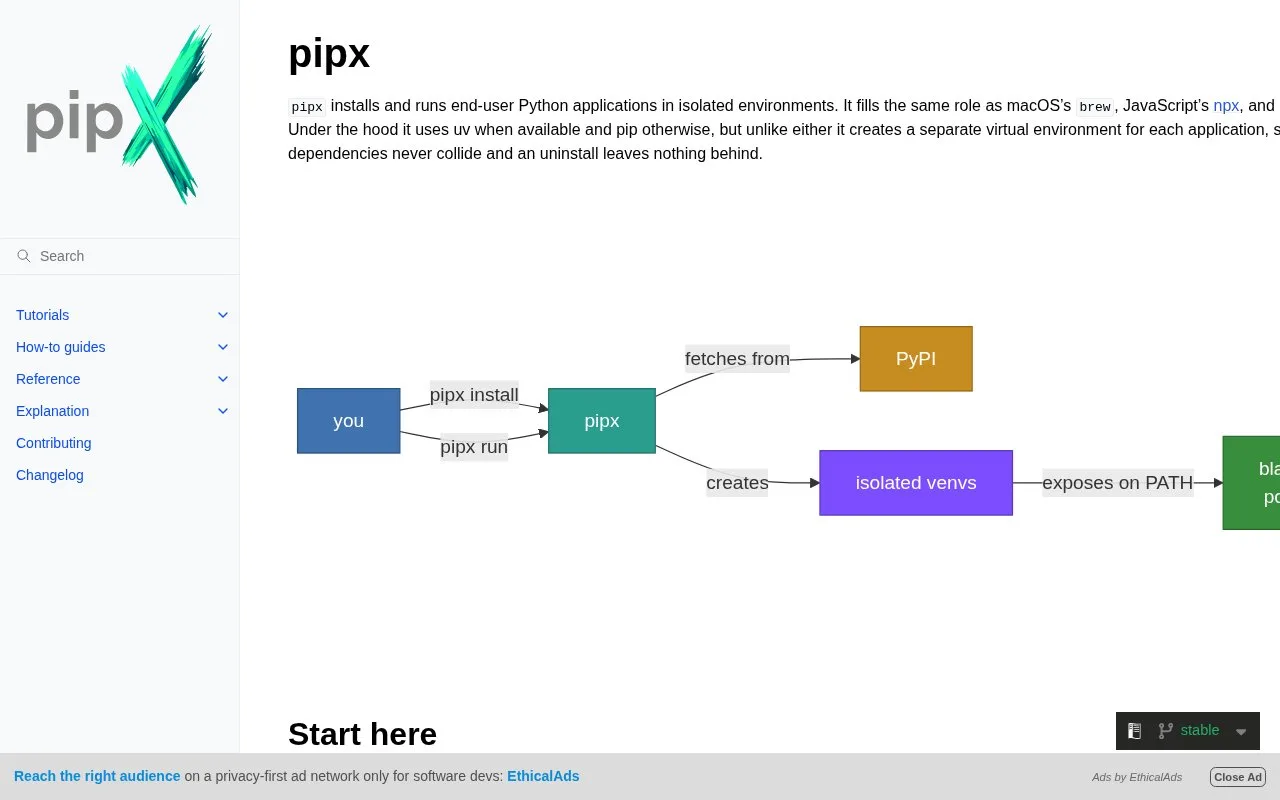
pipx manages Python packages that expose command-line applications. An installed app gets its own virtual environment while its executable can be added to the user's command path; `pipx run` creates a temporary environment for a one-off command. The tool is intended for end-user applications such as project scaffolding and developer utilities, not for installing libraries into a particular application's environment.
Try a tool, then decide whether to keep it
First install pipx using the official setup instructions. To inspect a Python CLI without leaving it installed, the docs show pipx run creating a temporary environment for one command. If the tool is useful, pipx install gives it a dedicated environment and exposes its executable; the tutorial then covers listing, upgrading, and uninstalling installed applications. This isolation is useful for command-line programs that would otherwise compete for Python package versions. It does not replace a project's virtual environment or dependency manager for libraries imported by application code. pipx's docs say it uses uv when available and pip otherwise, and provide separate setup and troubleshooting guides for those backends. The project is maintained by the Python Packaging Authority and the official repository uses the MIT License. Before installing a CLI from a package index, still check that package's publisher and behavior; pipx isolates its environment but does not certify the program.
Strengths
- Keeps installed CLI applications in separate virtual environments while exposing their commands.
- A temporary `pipx run` workflow lets a user try a command without a permanent install.
- Official docs explain installation, running, upgrading, and removing applications.
Watch out for
- pipx manages end-user applications, not libraries for a specific Python project.
- Isolation does not establish that a package is trustworthy; users remain responsible for choosing the application source.
Best for
- Python developers who install command-line tools without mixing their dependencies into project environments.
- Users who want to try a Python CLI once before installing it persistently.
- Teams that need a repeatable way to install and update Python-based developer utilities.
Sources
- pipx Documentation (Oct 25, 2026)
- Getting Started | pipx (Oct 25, 2026)
- Installing Applications | pipx (Oct 25, 2026)
- Running Applications | pipx (Oct 25, 2026)
- Python Packaging Authority pipx source repository (Oct 25, 2026)
- MIT License | pipx (Oct 25, 2026)