
What it does
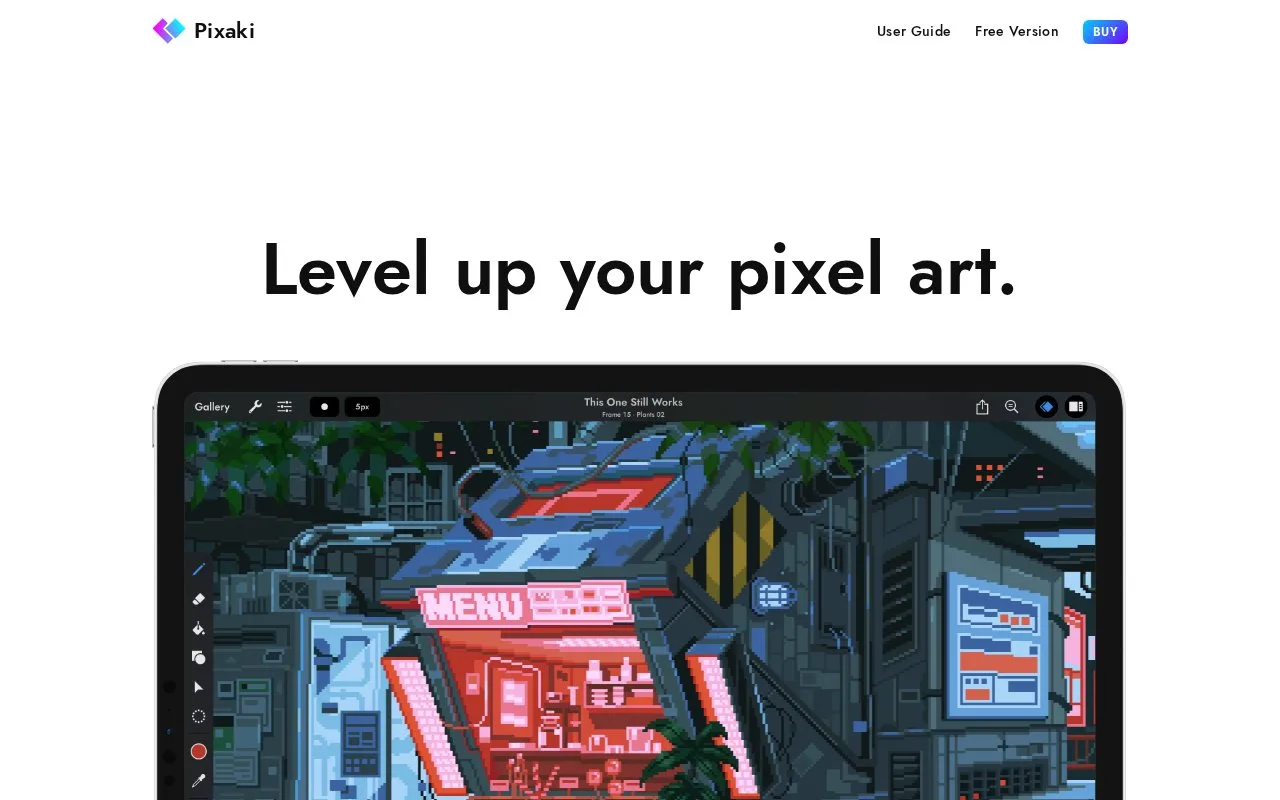
Pixaki is an iPad pixel-art editor with pixel-perfect strokes, dither brushes and layered animation. Reference images can stay at full resolution beneath the pixels you draw. The free Intro edition supports small projects, while Pro adds larger canvases and more extensive import and export options.
Draw over a reference
Import a sketch or photograph from Files or Photos as a reference layer, then resize and position it beneath the artwork. Pixel Perfect mode removes doubled pixels from strokes, and the dither brush offers patterned shading.
Each animated layer has a timeline; static layers hold backgrounds across every frame. Output options include sprite sheets with configurable columns, animated PNG, GIF and QuickTime movies. Aseprite exchange retains layers and cells, while PSD export groups layers by frame.
Start with Intro
Intro is free without ads or an expiry. It allows a 160 by 160 pixel canvas, three drawing layers, one reference layer and eight animation frames. Larger work and the full file-format selection require Pro. Pixaki runs only on iPad.
Strengths
- Full-resolution references stay separate from pixel artwork
- Static layers avoid duplicating an unchanged background
- Sprite-sheet columns can be configured
Watch out for
- Intro limits canvas size, layers and frame count
- Available only on iPad
Best for
- iPad artists making game sprites
- Short pixel animations built over a reference sketch
Sources
- Pixaki pixel art tools and Intro or Pro editions (Oct 27, 2026)
- Pixaki user guide introduction (Oct 27, 2026)