
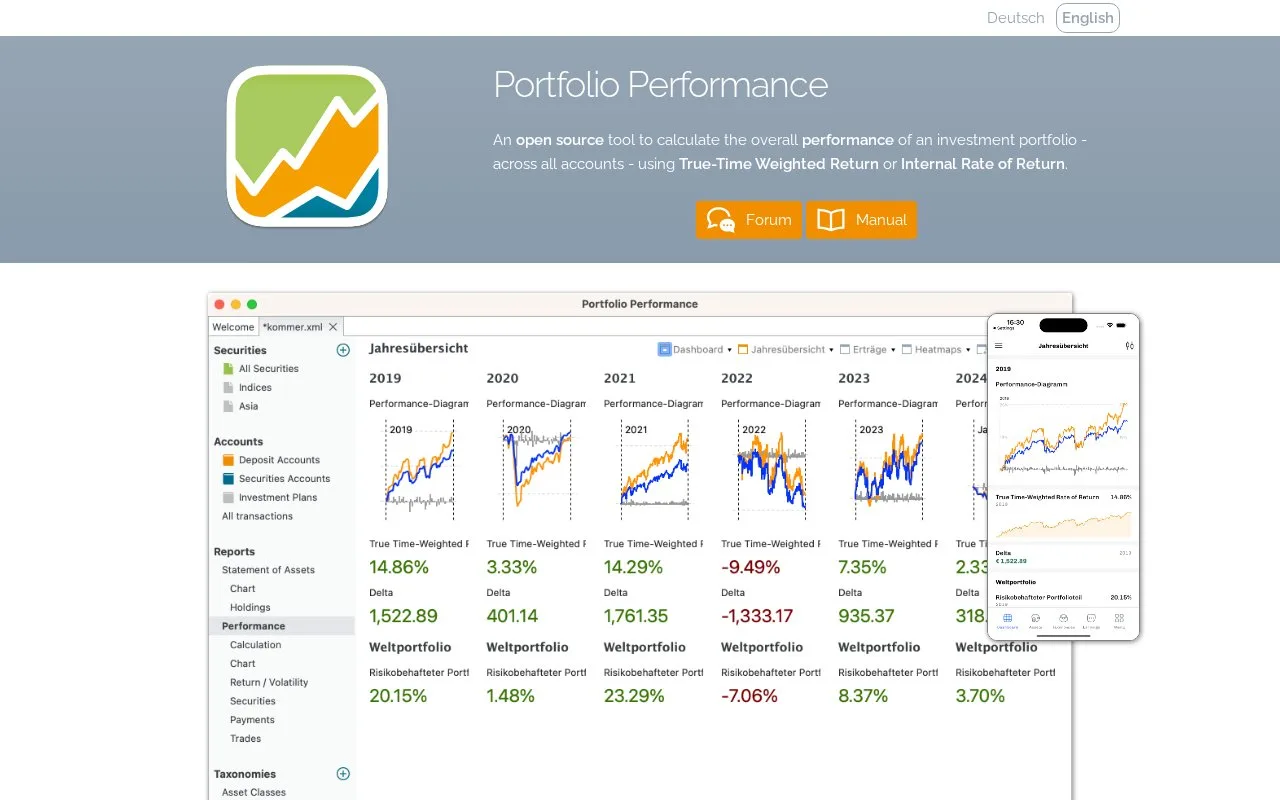
What it does
Portfolio Performance is open source desktop software for recording investment transactions and calculating returns across accounts. It runs on Windows, macOS and Linux and stores your portfolio in a local file. You can record trades, dividends, fees and taxes rather than only current balances.
Build a transaction history
Download the desktop installer for your operating system, create a portfolio file and add your securities and accounts. The file holds transactions and asset classifications together. Bank PDF imports and manual entry are available for keeping it up to date.
Portfolio Performance calculates both time-weighted return and internal rate of return. These measure different aspects of performance when money enters or leaves the portfolio. Its dashboard and asset classifications let you inspect the resulting figures by period or asset group.
Files and price data
Portfolio data is stored as XML and can be exported to CSV or JSON. The desktop software uses the Eclipse Public License v1.0. A Portfolio Performance ID is needed for its built-in price provider; other price-source options are also listed. Keep complete fees and tax entries if you want them reflected in the calculations.
Strengths
- Records fees and taxes alongside trades
- Exports data as CSV or JSON
Watch out for
- Return calculations depend on the transaction history you enter
- The built-in price provider requires a Portfolio Performance ID
Best for
- Maintaining a transaction-based portfolio history
Sources
- Portfolio Performance desktop downloads and features (Oct 27, 2026)
- Portfolio Performance getting-started manual (Oct 27, 2026)