
What it does
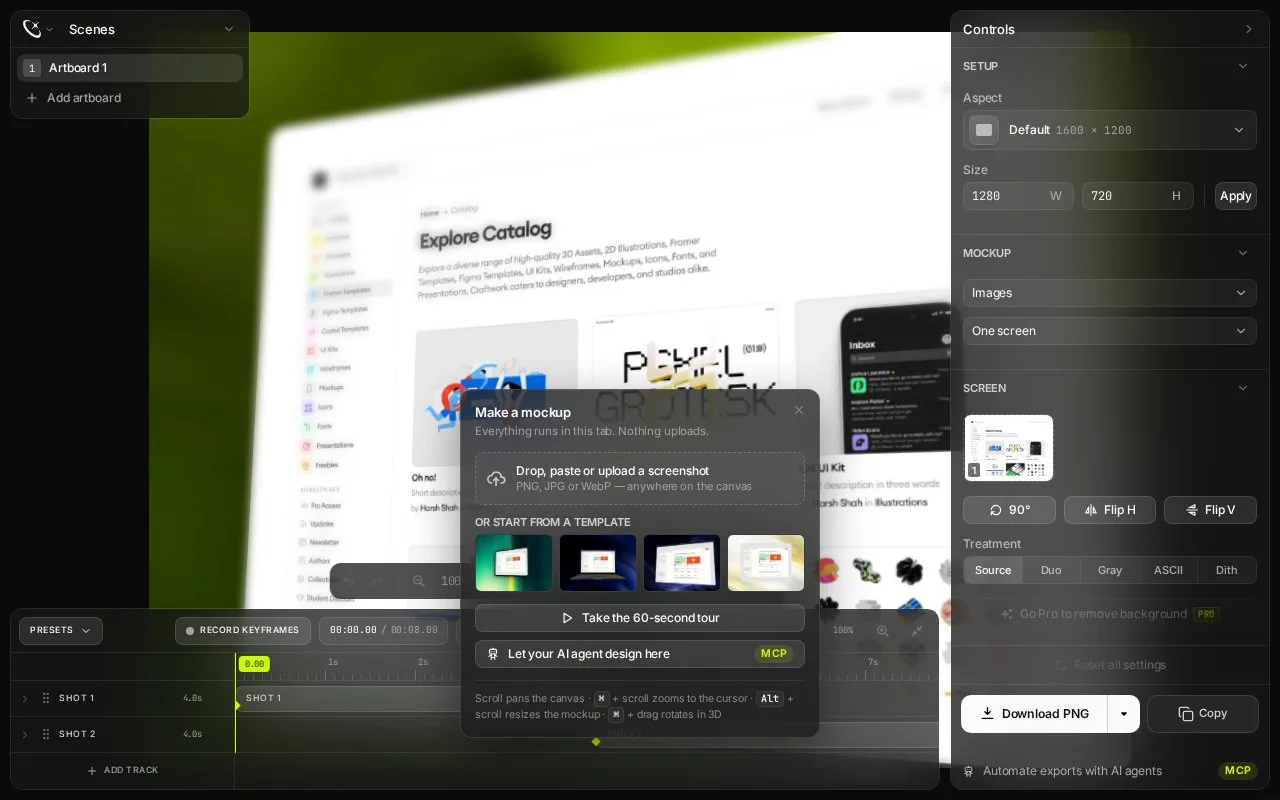
Presenta is Craftwork's browser-based mockup studio. It combines device frames, text, images and shapes with perspective, shadows, background treatments and export-size presets. The free studio needs no account; a one-time Pro licence adds transparent output, background removal and website captures.
The studio needs a window at least 1,200 pixels wide. Drop, paste or upload a PNG, JPG or WebP screenshot, then choose a device, browser or card treatment. Set the canvas with presets such as Open Graph, 16:9 or 4:5, or enter custom dimensions.
Fill, Fit, Crop and Tile determine how the image sits inside the frame. X, Y and Z rotation, perspective and skew control its angle. Text, additional images, rectangles and arrows can be placed above or below the mockup. Download the result as PNG or copy it to the clipboard.
The free studio has no usage limit. Pro is a permanent purchase for use on three devices, with an emailed licence key. Transparent PNG, background removal and AI Site Shots are paid features; earlier trial artboards that use a Pro feature retain a watermark until upgrade.
Ordinary image composition runs in the browser. Site Shots instead captures a website on Presenta's servers and builds a collection from its URL. The licence permits personal, client and commercial use of exported mockups without attribution. Session storage preserves work through reloads but clears when the tab closes.
Strengths
- Offers detailed perspective, shadow and layered-composition controls.
- Includes destination-size presets and a free studio without an account.
Watch out for
- The studio requires a window at least 1,200 pixels wide.
- Transparent exports and website captures require Pro.
- Work saved in session storage is cleared when the tab closes.
Best for
- Desktop users building composed app and website presentation graphics.
Sources
- Presenta — Free Mockup Generator (Oct 27, 2026)