
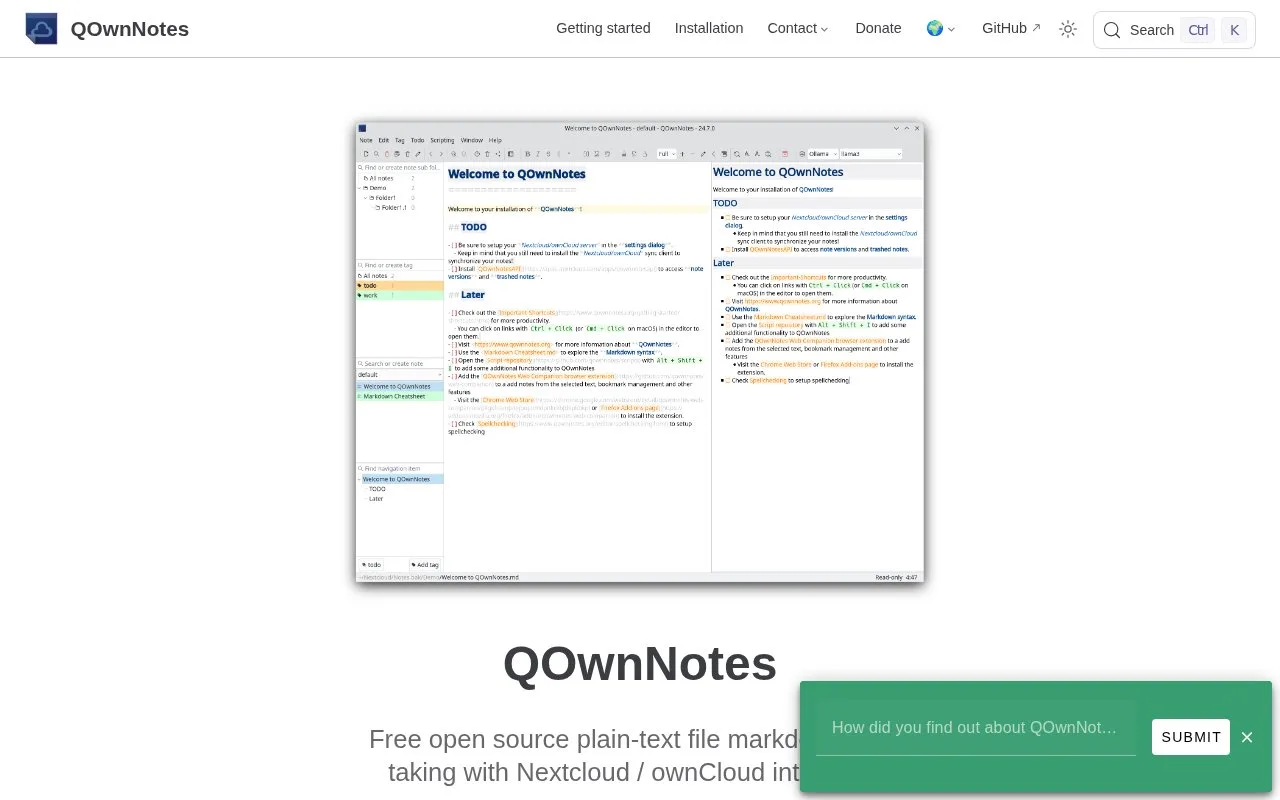
What it does
QOwnNotes is a desktop note-taking app for Markdown files. Its official guide describes an application that works with a notes directory and can be paired with Nextcloud for synchronization. This suits users who want to keep notes in a normal folder and control how that folder is backed up or synced, rather than relying on a single proprietary note database.
A sensible first setup is to choose a notes folder, create a few Markdown files, and decide separately how that folder will be backed up or synchronized. QOwnNotes' overview and Nextcloud guide describe this folder-based approach and the optional Nextcloud connection. A plain-text folder is especially useful for users who want to keep their notes available to other Markdown tools.
The workflow depends on a folder and any sync service the user configures; QOwnNotes is not itself proof that files are being backed up or synchronized correctly. The project documentation links to a Nextcloud companion app for synchronization, so readers should follow that specific setup guide rather than assume a cloud account is included. I did not install the desktop application or test file conflicts.
Strengths
- The documented workflow keeps Markdown notes in a user-selected folder.
- An official guide covers integrating QOwnNotes with Nextcloud for synchronization.
Watch out for
- Synchronization depends on configuring a separate folder-sync arrangement.
Best for
- Editing a local Markdown notes folder on a desktop computer
- Nextcloud users who want a note editor connected to their own synchronized notes directory
Sources
- QOwnNotes (Oct 25, 2026)
- Overview | QOwnNotes (Oct 25, 2026)