
What it does
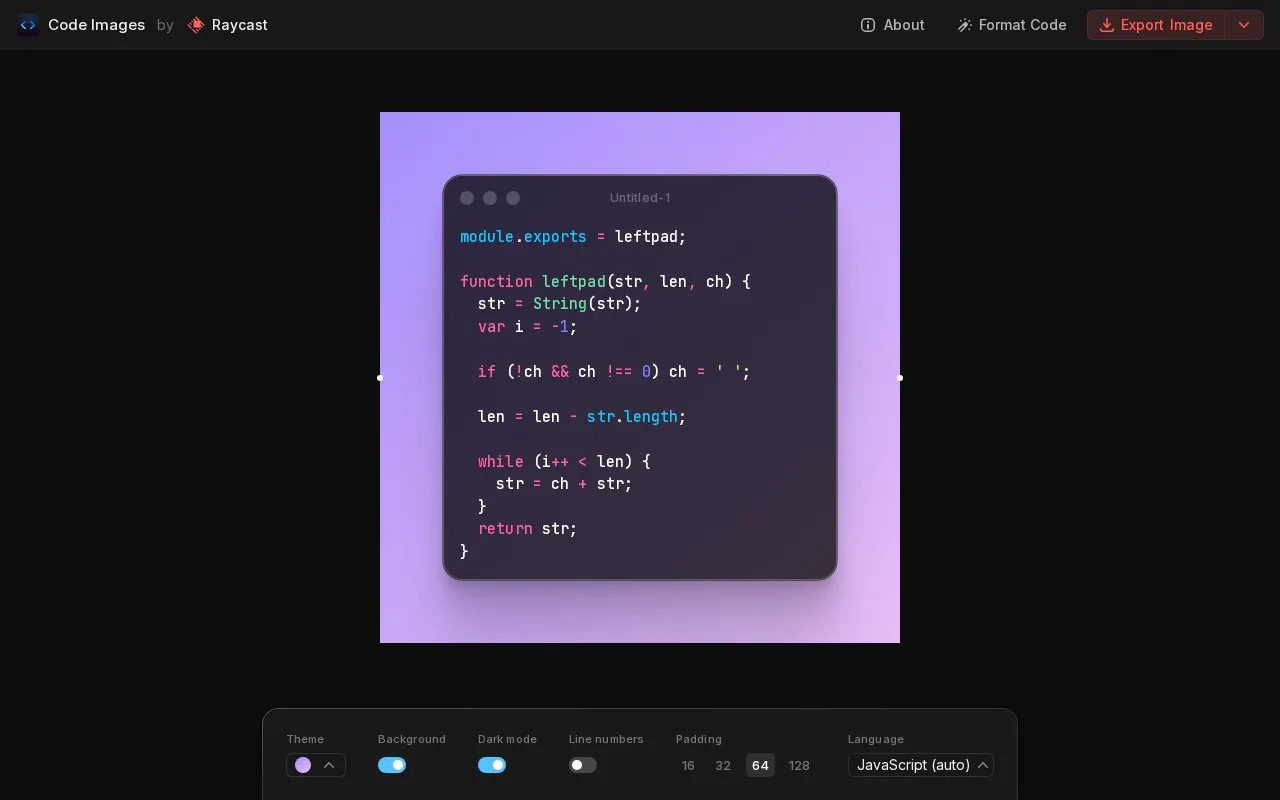
ray.so includes a Code Images tool for turning source snippets into images. It is part of Raycast’s web-tool collection, whose public repository also contains separate prompt, icon and preset utilities. The code-image editor provides PNG and SVG export.
Enter your snippet, choose its language and syntax theme, and switch between light and dark mode. Adjust Padding around the code, then use Export Image in the upper-right corner.
The export menu offers Save PNG, Save SVG and Copy URL. Its Size choices are 2x, 4x and 6x for the image resolution. Basic image generation and download run without an account.
The application is MIT-licensed. Developers can download the repository, install dependencies with npm install and start a local version with npm run dev. Raycast recommends a fork when adding a new code theme unless the maintainers have agreed to include it.
Strengths
- Option-click highlights a code line.
- Line numbers can be shown or hidden.
Watch out for
- Copy Image appears only when the browser supports PNG clipboard copying.
Best for
- Developers presenting short code snippets
Sources
- GitHub: raycast/ray-so (Oct 27, 2026)
- ray.so Code Images: About and shortcuts (Oct 27, 2026)
- ray.so Code Images: export controls (Oct 27, 2026)
- ray.so Code Images: export sizes (Oct 27, 2026)
- ray.so Code Images: public editor (Oct 27, 2026)
- ray.so MIT License (Oct 27, 2026)