
What it does
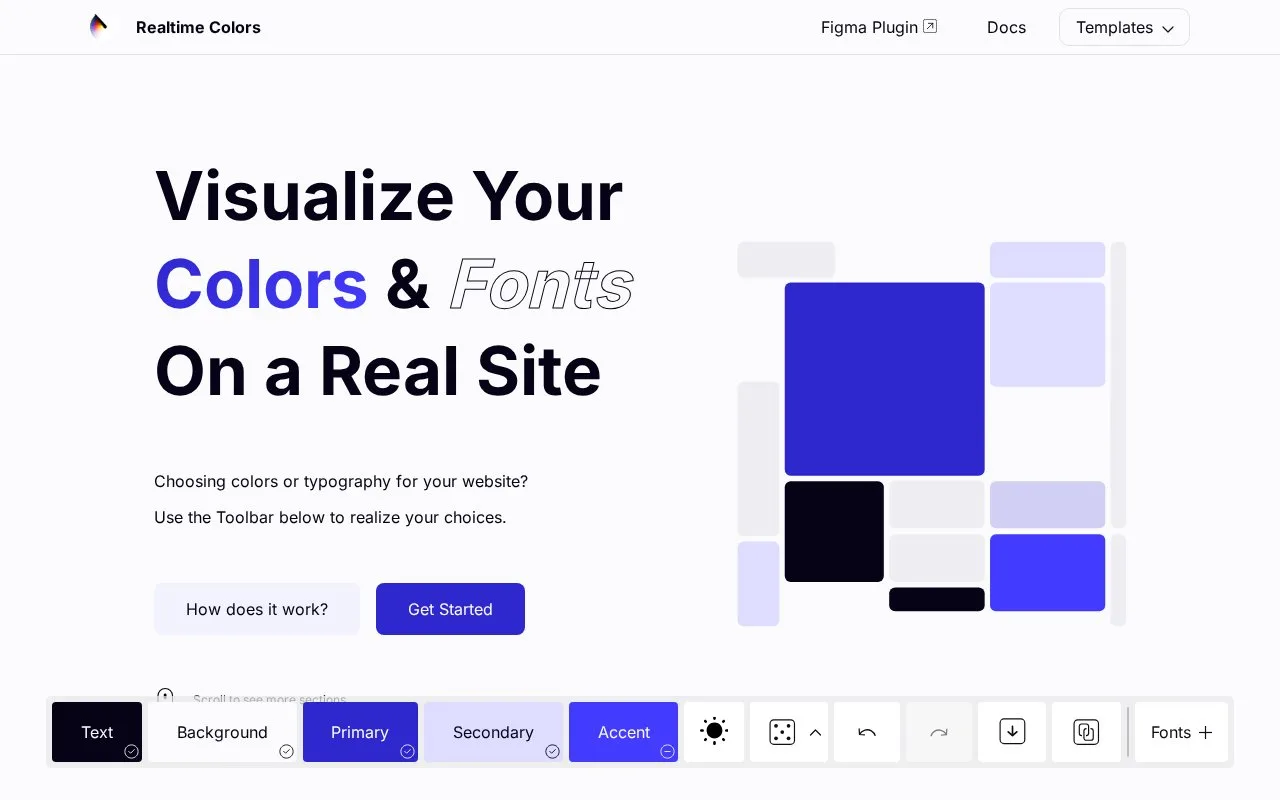
Realtime Colors applies text, background, primary, secondary and accent colours to a sample website. Its colour and font controls show how a combination works across headings, buttons, cards and other sections. The tool is free.
Begin with text and background colours, then set the three accent roles. Switch between light and dark themes, or randomise within a chosen colour harmony. Heading and body fonts can come from Google Fonts or fonts installed on your device.
The Export panel has CSS, Tailwind, SCSS and custom-code routes. Custom placeholders can select a colour role, output format and shade, so an existing project’s code style can be reused. The ZIP download contains a palette PNG and a text file with colour codes and a link back to that combination. Font exports include sizes in rem units for CSS and Tailwind.
The Basic, Pro and Enterprise cards on the preview are sample page content. They are not paid product tiers. Generated colours may be used commercially; the site’s own code and materials have a separate CC BY-NC-ND licence.
Strengths
- The QR export opens the same palette on another device.
Watch out for
- The website-material licence is separate from permission to use generated colours.
Best for
- Comparing a website’s palette and type choices before implementation
Sources
- Realtime Colors (Oct 27, 2026)
- Realtime Colors export guide (Oct 27, 2026)