
What it does
Repper is a browser app that turns images into repeating surface patterns. Tiling choices, effects and saved snapshots help develop related designs, while product previews show their scale on clothing or stationery. A monthly or yearly membership follows a 14-day trial, with projects stored in a user account.
Compare the repeat before committing to it
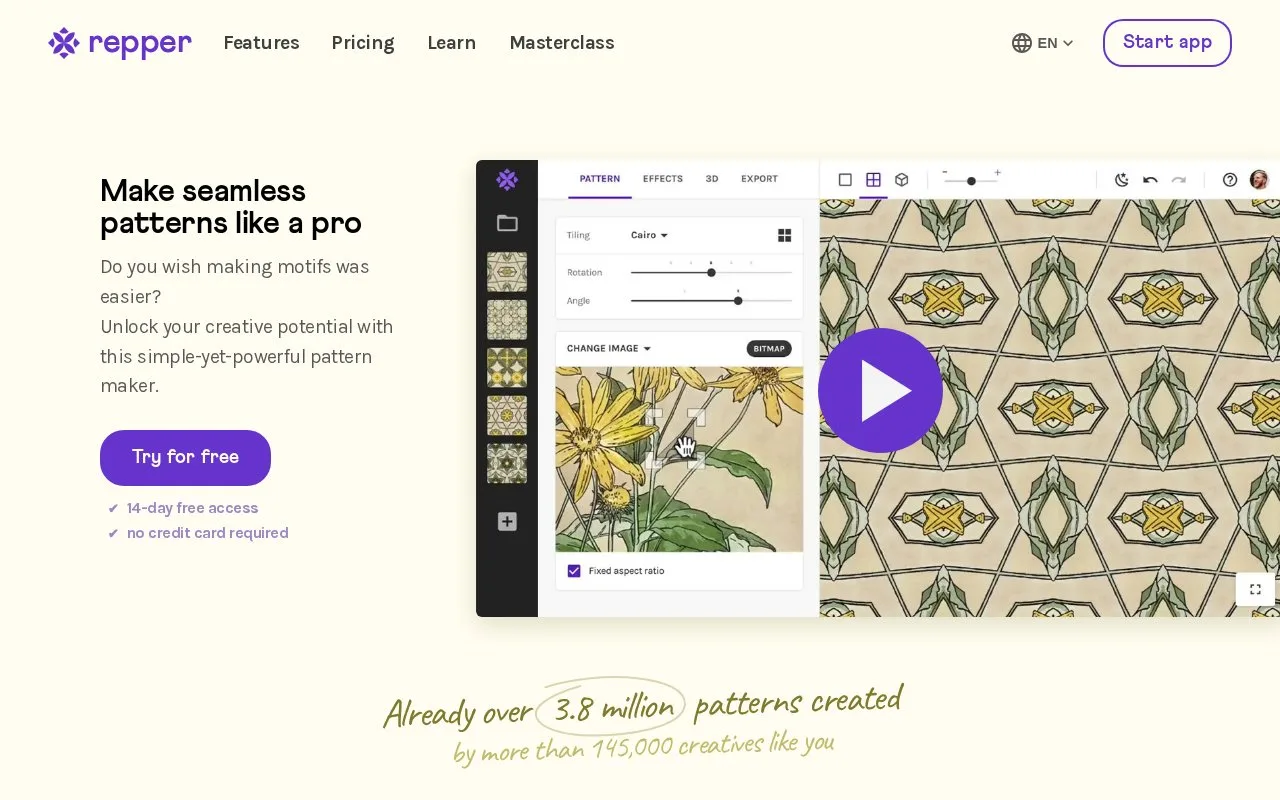
In the Pattern tab, drag the Selection box over an image to change the motif. The Tiling button selects a repeat rule, while Tiling Overview previews several arrangements together. Effects include duotone, gradients and halftone textures.
Save promising versions as snapshots instead of exporting after every change. Collections hold up to 100 snapshots. Edge blending softens visible seams in photographic tilings, and 3D previews show the design on items such as a pillow or notebook.
Export a single repeat tile for another application or a surface at a specified size. Membership permits exports up to 35,000 by 35,000 pixels.
What remains after cancellation
Projects stay in the account, but creating new ones and exporting patterns stops when paid access ends. Repper’s FAQ says rights to patterns already made remain with the customer after cancellation.
Strengths
- Tiling Overview compares repeats from the same image
- Snapshots retain variations without interrupting design
- Product previews show motif scale in context
Watch out for
- New projects and exports require an active membership after the trial
- A collection holds at most 100 snapshots
Best for
- Surface pattern collections
- Illustrators preparing motifs for fabric and product designs
Sources
- Repper tilings, effects, snapshots and output scope (Oct 27, 2026)
- Repper membership, trial and export limits (Oct 27, 2026)
- Repper ownership, account access and cancellation (Oct 27, 2026)
- Repper Pattern tab and tiling selection (Oct 27, 2026)