
What it does
Scratchpad gives Salesforce teams an editable workspace for records, notes and pipeline reviews. Changes write back to Salesforce under its existing permissions and validation rules. Each new workspace gets 30 days with all features, followed by paid per-user access on a monthly or annual term.
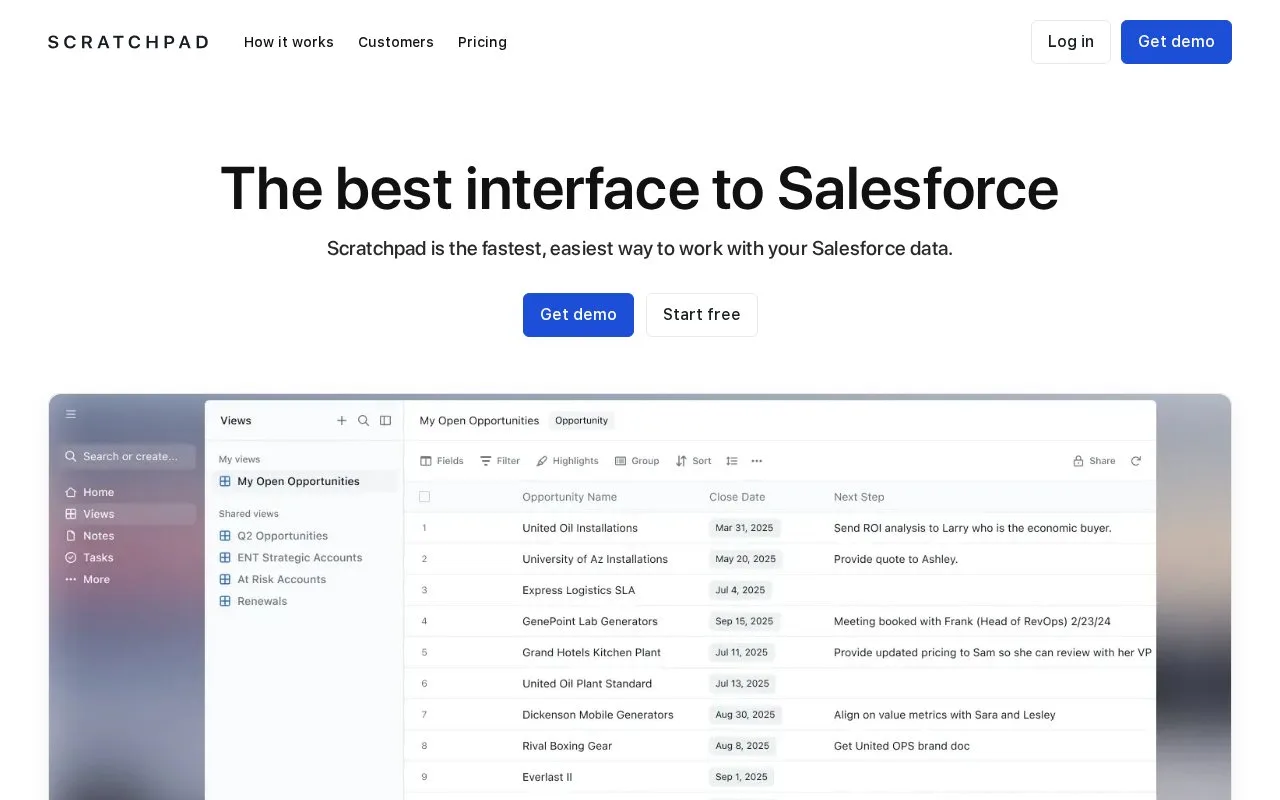
Build a Scratchpad grid view around a specific review, such as open opportunities closing this month with an empty Next Step. Add the Salesforce fields needed for that conversation, then set filters from the view's menu. Advanced Filters supports ANY, ALL and nested groups for more complex conditions.
Use a Current User condition when sharing a view that should show each representative their own records. Add a conditional highlight for a missing field rather than removing those records from the review. Changes highlights serve a different purpose: they show cells changed in Scratchpad during the selected period.
Grouping works only when a view has fewer than 2,000 records, so narrow a large pipeline by owner, stage or date first. Remember that editing a record changes Salesforce data; Scratchpad follows the existing Salesforce permissions and validation rules.
Connect and try it
If the company has already approved Scratchpad, choose Start free and sign in with Salesforce. A company using it for the first time needs a Salesforce administrator to approve the connected app and let users authorize access.
The workspace trial lasts 30 days and includes all features for the team. Afterward, choose the paid seats needed on monthly or annual billing.
Strengths
- Current User filters personalize a shared view for each representative
- Conditional and change highlights answer different pipeline-review questions
Watch out for
- Grouping requires fewer than 2,000 records in the view
- First-time company setup needs approval from a Salesforce administrator
Best for
- Salesforce teams maintaining pipeline details in shared working views
Sources
- Scratchpad Pricing: One Simple Plan for Sales Teams (Oct 27, 2026)
- Customize your views | Scratchpad Help Center (Oct 27, 2026)
- Scratchpad – The best interface to Salesforce (Oct 26, 2026)