
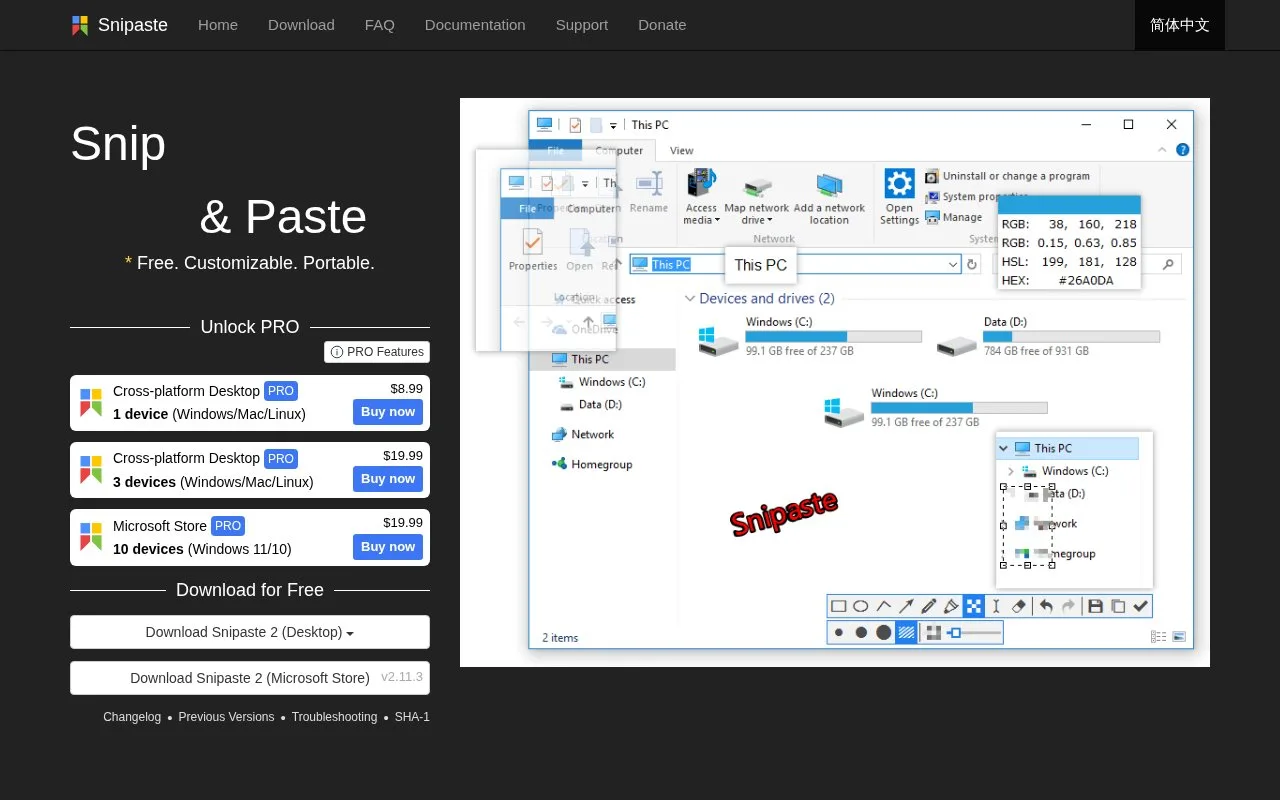
What it does
Snipaste captures and annotates screen regions, then pins images as floating windows. References can be zoomed, rotated, flipped, made translucent or set to allow clicks through them, with support for Windows, macOS and Linux. Personal use is free, while version 2.x needs a paid Pro licence for business use.
Press F1 to capture a region, then F3 to pin it as a floating reference. The mouse wheel changes its size; Ctrl with the wheel adjusts transparency. Rotation, flipping and click-through controls help align a reference with the work beneath it. Space opens image editing, and floating images can be grouped.
Clipboard text and colour values can also become floating images. Arrows, text, mosaic and blur are available for annotation.
Personal use remains free. The licence permits both personal and business use of version 1.x, but business use of version 2.x requires Pro. A free download therefore does not grant the same permissions across versions.
Pro also adds text extraction, re-editable annotations and image-window cropping. The permanent Snipaste 2 Pro licence is USD 19.99 for the three-device Desktop option or the ten-device Microsoft Store option. The Desktop licence covers Windows, Mac and Linux; the Store licence covers Windows 10 and 11. These two purchases are not interchangeable, and future major-version upgrades are separate.
Strengths
- Pins screenshots as adjustable floating reference windows.
- Includes zoom, transparency, rotation and annotation controls.
Watch out for
- Business use of Snipaste 2 requires Pro; Desktop and Microsoft Store licences are separate.
Best for
- Designers comparing layouts while keeping a reference visible beside their work.
Sources
- Snipaste (Oct 28, 2026)
- Snipaste EULA (Oct 28, 2026)
- Snipaste Pro features and licence comparison (Oct 28, 2026)