
What it does
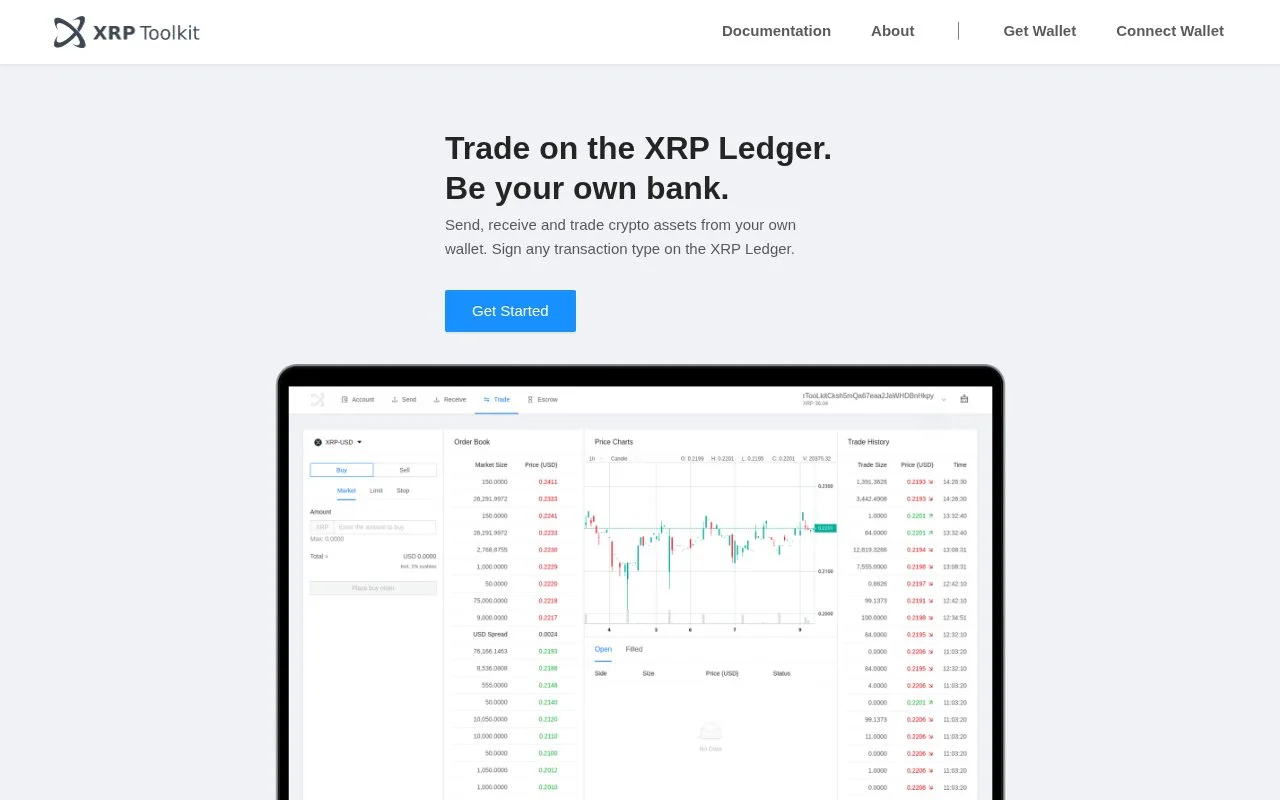
XRP Toolkit is a free browser interface for XRP Ledger payments, account settings and trading. It connects to a compatible wallet for approval and charges no toolkit fee beyond the ledger’s transaction costs.
XRP Toolkit keeps transaction preparation on the larger screen while approval stays with your wallet. You can also add an account address in view-only mode. The browser remembers connected public addresses until the session is cleared, so checking a balance does not require reconnecting the signer each time.
A payment with Bifrost Wallet
- Choose Connect Wallet, select Bifrost Wallet and display its connection code. In Bifrost, use Scan and verify that the login request names XRP Toolkit.
- Open Send and enter or scan the destination. Include the recipient service’s destination tag when required. The page shows the account’s activation date and accepted assets for comparison.
- Enter the amount and choose Next. Compare the confirmation details with those shown by the signing wallet.
- Approve only the matching request in the wallet. Preparing a form in XRP Toolkit does not itself authorize a payment.
No separate email account is part of this connection process. XRP Toolkit should never request your recovery words, secret numbers or private key. Keep those with the wallet’s own recovery procedure.
Trading has its own constraints. Supported pairs in the Trade view must include XRP. Market orders either fill completely or cancel; limit orders can remain open, with extra conditions under Show More. An unfilled limit order uses an additional 0.2 XRP owner reserve until it fills or is canceled. The bin beside an open order initiates cancellation.
Assets displayed by the interface are not screened or endorsed by XRP Toolkit. Issuer failure, poor liquidity and price movements can cause losses. Its terms place responsibility for local legal compliance on the user.
Strengths
- View-only accounts allow balance inspection without a signing device
- Receive displays an address to copy or scan
- Order charts offer selectable intervals and line or candle views
Watch out for
- The trading interface requires XRP on one side of a pair
- D’CENT’s bridge connection requires Chrome on Windows or macOS
Best for
- Existing XRP Ledger wallet owners preparing payments on a computer
- Users managing signed orders without handing custody to a browser service
Sources
- XRP Toolkit browser interface and network-only fee statement (Oct 27, 2026)
- XRP Toolkit wallet connection, local address storage and view-only mode (Oct 27, 2026)
- XRP Toolkit destination details and payment preparation (Oct 27, 2026)
- XRP Toolkit separate wallet approval and signature workflow (Oct 27, 2026)
- XRP Toolkit order types, reserve and cancellation control (Oct 27, 2026)
- XRP Toolkit D-CENT bridge operating-system and browser limits (Oct 27, 2026)
- XRP Toolkit self-custody role and asset risks (Oct 27, 2026)